






Your team snaps it. It lands on the job.

Every job's photos in one place — and you send your customer the ones that matter.

Free for your whole team.No trial. No card. No per-person fees.

Three steps.
Every job in one place.

Set up from your phone. No training.

  1. Luis8:45 AM
    0:11 On the job · 14 Birch Lane
    1

    Snap it on the job.

    A photo, a voice note, a circle on what matters. Big buttons, no forms.

    It's on the job — not in a camera roll.

  2. Tom's phone · the owner
    LuisKaiBeth
    New since you last looked
    • Luis Water coming through over the kitchen light.
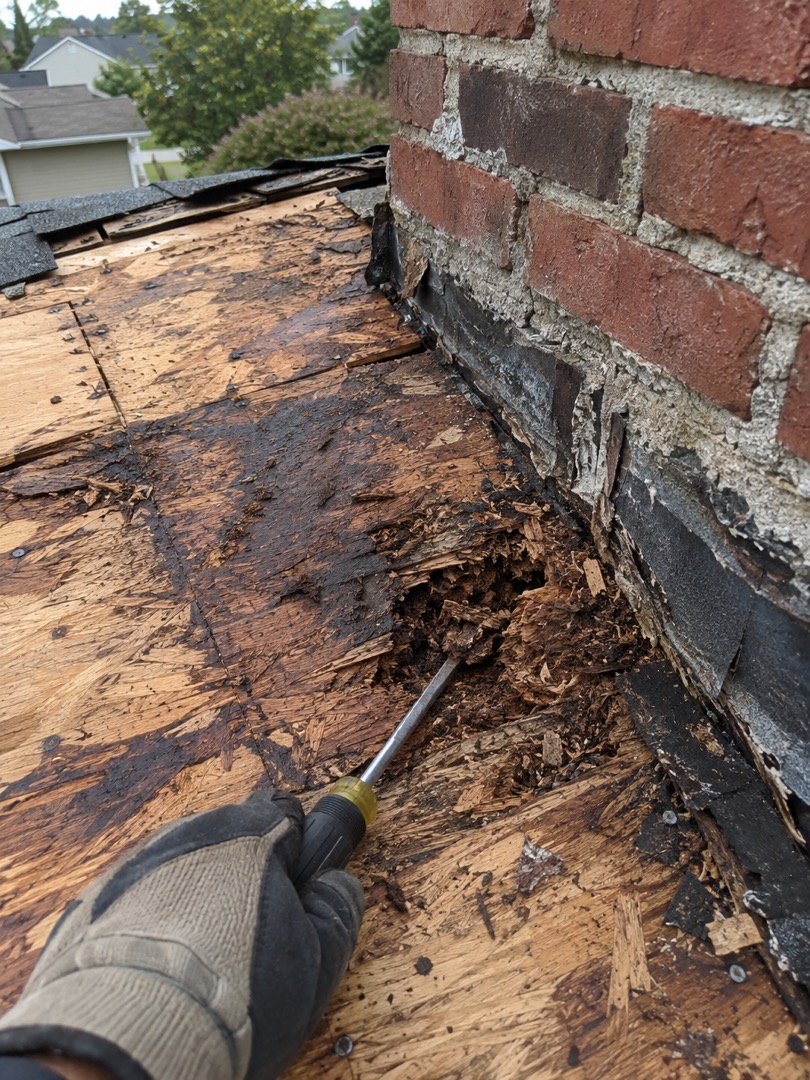
    • Luis Found where it's getting in. Rot by the chimney.
    • Beth Elm St is done — she loves it.
    2

    Your whole team sees it.

    Everyone's photos land on your phone, sorted by job — for you, the office and whoever goes next.

    You see every job — even from the one you're on.

  3. Text to Karen · from Tom's phone

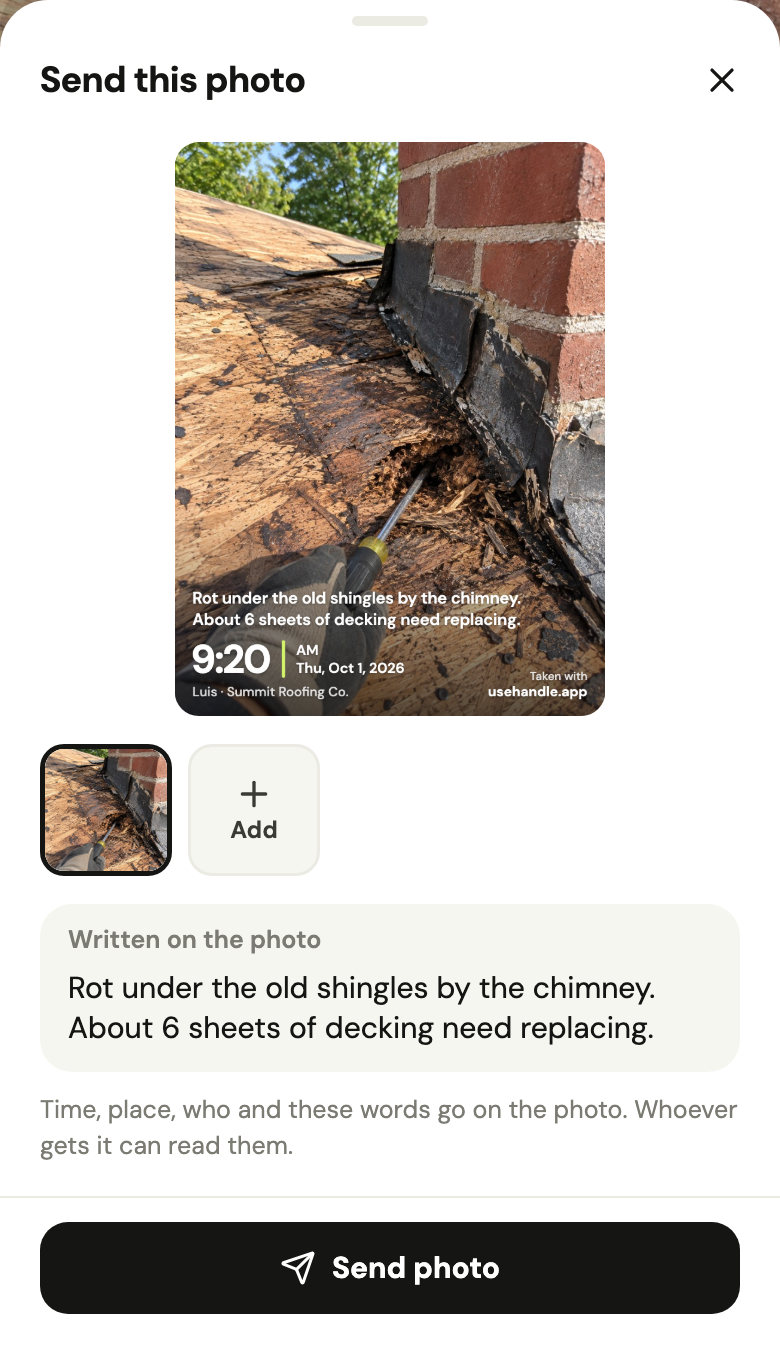
    Hi Karen, we found where the water's getting in over your kitchen. Here's what Luis saw on the roof.

    The photo as the customer gets it: rotten roof decking by a chimney, with “Rot under the old shingles by the chimney. About 6 sheets of decking need replacing.”, 9:20 AM, Thu, Oct 1, 2026 and Luis · Summit Roofing Co. written on it.
    3

    Send it to the customer.

    From your own phone: a text, WhatsApp or email. Handle writes the time, who took it and your words on the photo.

    She sees what you found, with the time on it.

Your customers see the work

The finished job and what you found, sent from your own phone with the time and who took it written on every photo.

  1. 1

    It's ready

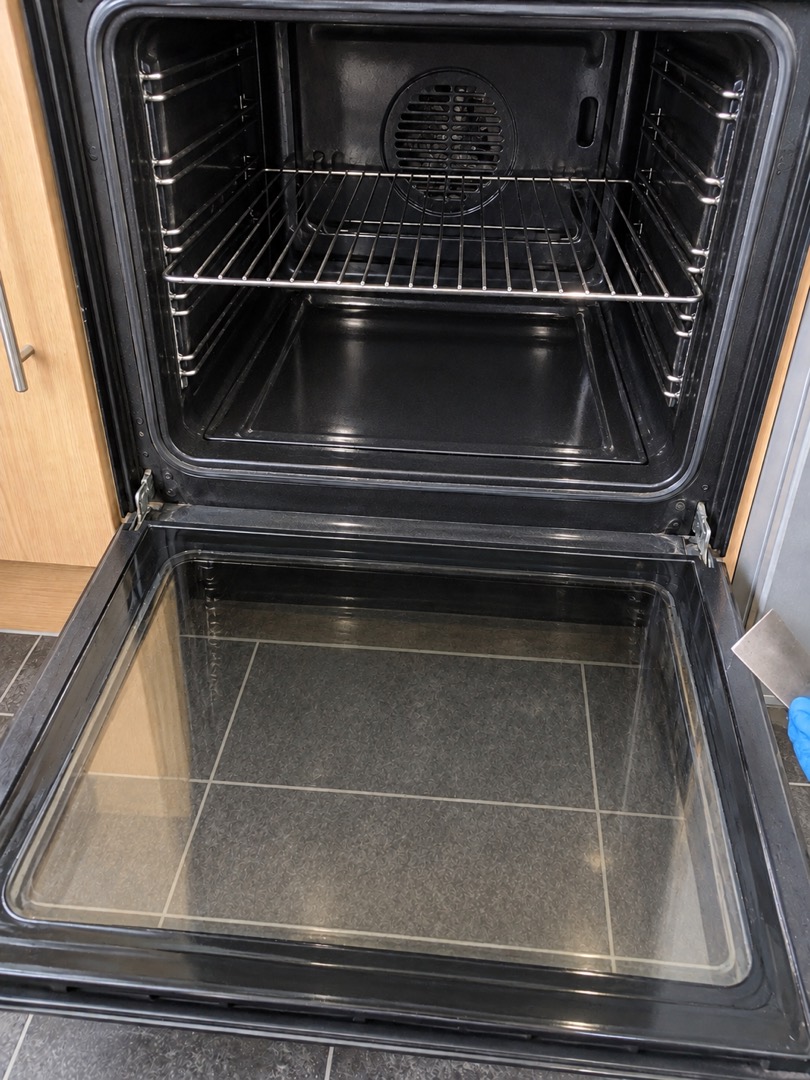
    The before and after go as one picture, with both times on it.

  2. 2

    Here's what we found

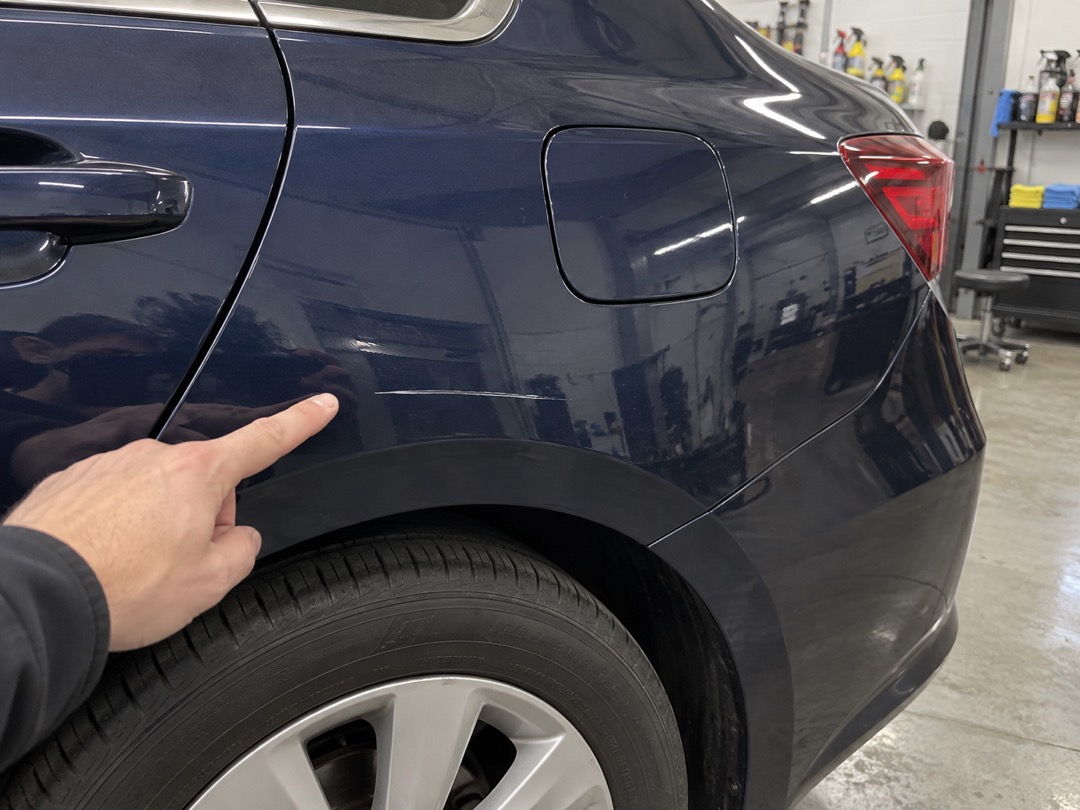
    The photo with what you circled, and the time, who took it and your words written on it.

    Jo · 8:04 AM

    The scratch above the rear wheel was already there when your car came in.

  3. 3

    The whole job, one PDF

    The before and afters first, then the photos with words, each with its time. Text it or email it; they open it like any PDF.

  • A text, WhatsApp or email, from your phone.
  • Only the photos you pick.
  • The address goes on only if it was taken there.

Watch a team's day in 30 seconds

Four trades, one app. Tap one to watch it like a story.

Built for work that doesn't happen at a desk

Roofing, remodeling, detailing, cleaning, grooming — same app, it talks your trade.

Group text, CompanyCam or Handle?

Three ways a small team keeps job photos, side by side.

Group text + camera rollCompanyCamHandle
Where the photos end upOne thread, in the order sent; the rest stay in camera rollsOn the project, seen by the whole teamOn the job, on every phone in the team
Someone new sees past jobsOnly what someone sends themYes, with their own login: a paid seatYes: every job and its photos
What a team of 5 paysNothing beyond your phone plans$217 a monthor $177 billed annually, after a 14-day free trialFreeNo trial, no card
Each extra personNothing$34 a monthor $29 billed annuallyNothingNo per-person fees
Proof for the customerThe photos, forwarded as they areA gallery or live link they open, or a report as a PDFA photo with the time, who took it and your words on it, or the whole job as one PDF, from your phone
Reports, checklists, integrationsNoneReports, checklists and 50+ integrationsA PDF of each job; no checklists or integrations
Works onAny phoneiPhone, iPad, Android and the webiPhone and Android

Handle doesn't schedule, quote or invoice. If you need that, a field-service app such as Jobber or Housecall Pro fits better.

CompanyCam as of October 17, 2026, from its own pricing page (Crew plan, 3 people included, before tax), help center and features page. Group text: Apple's and WhatsApp's own pages, October 2026.

Free for your whole team.

Photos, notes and shared history. No trial, no card, no per-person fees.

Your whole team

Handle

Your work, in one place. Everyone included.

Freefor your whole team

  • Everyone on your team, you included
  • Photos, voice notes and notes on the right job
  • A shared history of every job
  • See who posted, when and where
  • Send a photo, or the whole job as one PDF
No trial. No card. No per-person fees.

How will Handle make money?

Documenting and sharing your work with your team is free. Adding people doesn’t change that.

Handle may add optional paid tools later. If it does, you’ll see the price before you buy.

What you use for free today stays free unless we tell you at least 30 days before.

Private to your team. Nobody else sees a photo unless someone on your team sends it.

Questions owners ask

We already have a group text. Why another app?

Keep the group for “running late” and “who's got the ladder.” Everything about a job — photos, voice notes, notes — goes on the job instead. Nobody scrolls back three weeks for a before photo, and your customer gets just the photos you send, not a screenshot of your chat.

Will my team actually use it?

If they can text a photo, they can use Handle. One button to snap, no forms to fill. The photo goes on the job they're at, and when Handle isn't sure which job that is, it asks.

Do my customers need an app?

No. You send them the photo from your own phone, by text, WhatsApp or email, with the time, who took it and your words written on it. A before and after goes as one picture, and the whole job can go as one PDF. They open it like any other photo or PDF.

Will it track where my people are?

No. Each photo, voice note and note saves where the phone was at that moment. That's how it lands on the right job, and how you know it was taken there. Nothing is tracked between photos: no live map, no background location, no rankings. Where a photo was taken, only you and whoever took it see.

What does it cost?

Nothing. Handle is free for your whole team: no trial, no card, no per-person fees. Photos, voice notes, notes and the history of every job are all included.

How will Handle make money?

Handle may add optional paid tools later. If it does, you'll see the price before you buy, and what you use for free today stays free unless we tell you at least 30 days before.

Who sees our photos?

Everyone on your team sees every job and its photos, with the name of whoever took each one. Nobody else does, unless someone sends them a photo.

How do I get started?

Get Handle free from the App Store or Google Play. Name your business, add your team by first name and text each of them their link from your own phone. They tap it and join: no password, no email.

Everything about every job, in one place. As simple as a group text. Organized by job.

Free for your whole team.No trial. No card. No per-person fees.