CompanyCam pricing in 2026: every plan, and what a crew of 1 to 10 pays
As of October 2026, CompanyCam pricing starts at $79 a month for one user on the Core plan, or $63 a month billed annually, and Core can't go past 2 users, according to CompanyCam's pricing page. A crew of 3 or more needs CompanyCam's Crew plan at $149 a month ($119 billed annually), and each person past the 3 included adds $34 a month ($29 billed annually), the same page shows. CompanyCam has no free plan, only a 14-day trial with no card, its help center says.
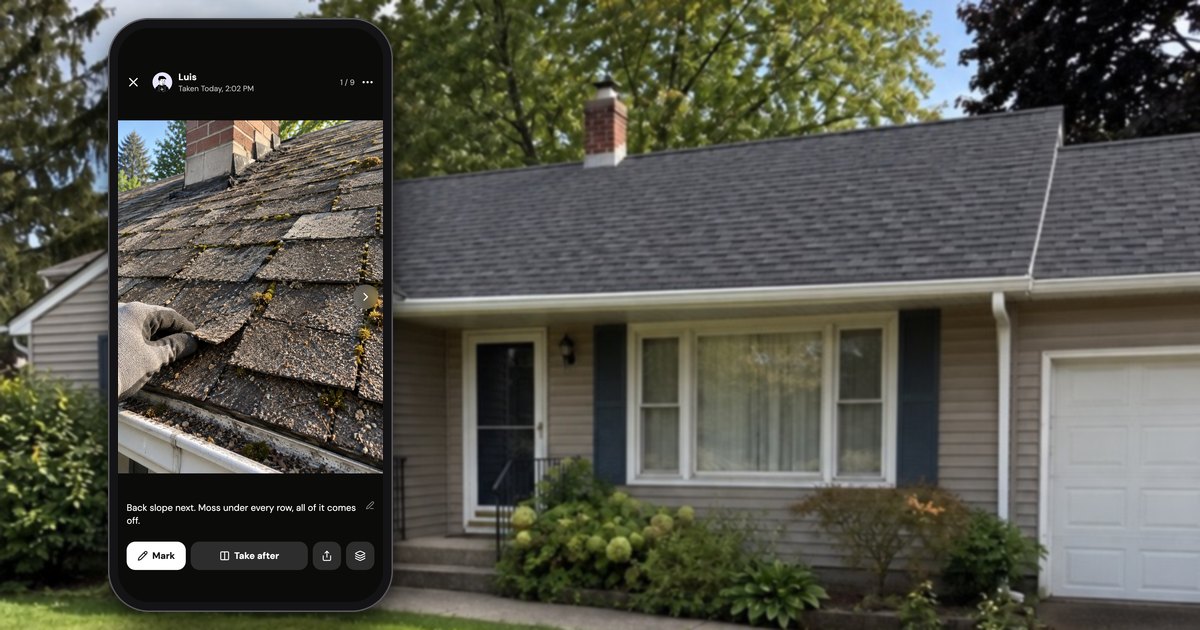
Every current price below comes from CompanyCam's own pricing page, calculator and help center, opened on October 17, 2026, in US dollars before tax. Scale costs more for sign-ups from September 17, 2026, and Core got its 2-user cap between late August and mid-October 2026, so older guides show other numbers. We make Handle (usehandle.app), a free app for small crews, shown on the cover; in the text it comes up only near the end, labeled.
What are CompanyCam's plans and prices?
CompanyCam has four plans as of October 2026: Core at $79 a month for 1 user (2 at most), Crew at $149 a month for 3 users, Scale at $299 a month for 3 users, and Enterprise for 50+ users at a custom price (pricing page). Billed annually, Core is $63 a month, Crew $119 and Scale $249.
CompanyCam's plans in US dollars as of October 2026, from its pricing page and its help article CompanyCam Plans Explained, which list the same dollar amounts:
| Plan | Monthly billing | Billed annually, per month | Users included | Each extra user, monthly / annual | Most users |
|---|---|---|---|---|---|
| Core | $79 | $63 | 1 | $34 / $29 | 2 |
| Crew | $149 | $119 | 3 | $34 / $29 | No limit stated |
| Scale | $299 | $249 | 3 | $34 / $29 | No limit stated |
| Enterprise | "Let's Chat" | Custom | 50+ | Custom | No limit stated |
What the table doesn't show:
- Who each plan is for, in CompanyCam's words: Core "For Solo & Small Teams", Crew "For Growing Teams", Scale "For Multi-Crew Operations".
- The annual price covers the included users, not each person. The help article writes Crew's annual price as "$119/mo/User", but CompanyCam's calculator charges a crew of 3 on Crew $119 a month, not 3 × $119.
- The page opens on annual billing, so the first prices a visitor sees are $63, $119 and $249.
- Older Scale customers pay less. "If you signed up for Scale before September 17, 2026, and haven't moved to the new pricing", the help article says, you stay on $249 a month, or $199 billed annually.
Why other sites quote other numbers: on October 17, 2026, the raw HTML of CompanyCam's pricing page still held older comparison-table prices, $129 and $199, which a script swaps for $119 and $249 when the page loads. Price trackers that read the raw HTML repeat the stale ones.
How much does CompanyCam cost for a crew of 1, 2, 3, 5 or 10?
On CompanyCam's own calculator on October 17, 2026, one person pays $79 a month and two pay $113 on Core; a crew of 3 pays $149, a crew of 5 $217 and a crew of 10 $387 on Crew, with monthly billing (pricing page). Billed annually, the same calculator puts those crews at $756, $1,104, $1,428, $2,124 and $3,864 a year, paid up front.
The totals from CompanyCam's "Calculate for your crew" calculator on October 17, 2026, in US dollars before tax:
| Crew size | Cheapest plan that fits | Monthly billing, per month | Billed annually, per month | Billed annually, per year | Monthly billing for 12 months |
|---|---|---|---|---|---|
| 1 | Core | $79 | $63 | $756 | $948 |
| 2 | Core (1 + 1 extra) | $113 | $92 | $1,104 | $1,356 |
| 3 | Crew (Core stops at 2) | $149 | $119 | $1,428 | $1,788 |
| 5 | Crew (3 + 2 extra) | $217 | $177 | $2,124 | $2,604 |
| 10 | Crew (3 + 7 extra) | $387 | $322 | $3,864 | $4,644 |
CompanyCam charges the per-year amount in one go: "Your card is charged your full yearly bill on the day you subscribe" (Annual Subscription Policy, October 2026). The last column is the monthly price times 12. On Scale, the same calculator showed $299 a month ($249 billed annually) for 1 to 3 users, $367 ($307) for 5 and $537 ($452) for 10.
Per person, dividing those October 2026 totals by the crew size:
| Crew size | Per person, monthly billing | Per person, billed annually |
|---|---|---|
| 1 | $79 | $63 |
| 2 | $56.50 | $46 |
| 3 | $49.67 | $39.67 |
| 5 | $43.40 | $35.40 |
| 10 | $38.70 | $32.20 |
How much annual billing saves. CompanyCam's pricing page says "save 20%", which holds for the base price of Core and Crew. Extra users save about 15% ($29 instead of $34) and Scale about 17% ($249 instead of $299). On October 2026 prices, a crew of 3 saves $360 a year by paying annually and a crew of 10 saves $780, for paying the year up front with no refund.
Can a crew of 3 use CompanyCam's Core plan?
No. As of October 2026, CompanyCam's Core plan "Includes 1 User (2 User Limit)", and its help center says Core "is available for 1–2 users only and cannot be expanded beyond 2" (Plans Explained). A third person means Crew: $149 a month instead of $113, or $119 instead of $92 billed annually.
Set CompanyCam's calculator to 3 users and Core grays out with "2 Users Max". The limit is new: CompanyCam's pricing page as archived on August 27, 2026 showed Core with "1 User Included" and no limit (archive), so price guides that put a crew of 3 or 10 on Core are out of date.
The cap costs less than it sounds: Core with two extra users would have come to $147 a month, $2 less than Crew, or $121 billed annually, $2 more than Crew. Going from 2 people on Core to 3 on Crew adds $36 a month ($27 billed annually), close to the $34 ($29) any extra seat costs, and every person after that adds $34 ($29).
Does CompanyCam charge per user?
Yes. CompanyCam charges for every person with their own login: "A seat is one person with their own login. Anyone who needs to capture photos, manage projects, or access job documentation gets a seat" (pricing page FAQ, October 2026). Past the users a plan includes, each seat costs $34 a month, or $29 billed annually (pricing page).
The seat rules, from CompanyCam's help center as of October 2026:
- No shared logins. "You're billed for each active User, so sharing a login isn't a way to save money." Sharing credentials "isn't permitted under our Terms of Service", and in the mobile app one login can be active on "up to two devices at the same time" (Why Each Person Needs Their Own Login).
- A seat added mid-year is charged that day. On annual billing, "you're billed a prorated amount for the rest of the subscription year, charged the same day you invite them" (Annual Subscription Policy).
- A seat freed mid-year stays paid for. On annual billing, "that seat stays open for you to fill with someone else", and you won't be "refunded or credited for unused time or unfilled seats"; the bill adjusts at renewal (same page).
- Photos stay when someone leaves. The pricing FAQ: "if someone leaves, just remove their seat. Your photos and project history stay in your account."
Some owners keep the bill down by paying only for some of the crew. "We don't buy seats for everyone, only those that really need it," a CompanyCam customer wrote on Capterra in April 2025 (review). By CompanyCam's own rule, though, anyone who captures photos needs a seat.
What does each CompanyCam plan add?
CompanyCam's Core plan has the photo basics: photos, 5-minute video, before and afters, markup, reports, offline mode and invoices. Crew adds checklists, assigning users, guest access, 5 templates, 10-minute video and 5 proposals a month; Scale adds signatures, LiDAR, collaborators, translations and unlimited templates (pricing page and help center, October 2026).
What each plan includes, from the comparison table on CompanyCam's pricing page and its Plans Explained article, as of October 2026:
| Feature | Core | Crew | Scale |
|---|---|---|---|
| Photos, before and afters, annotations, Quick Caption (voice to caption) | Yes | Yes | Yes |
| Video clip length | 5 min | 10 min | 10 min |
| Projects, photo tags, project map, offline mode, search and filtering | Yes | Yes | Yes |
| Reports, daily logs, file uploads, tasks | Yes | Yes | Yes |
| Invoices (countries: see the UK and Canada section), price book, payment processing (US only) | Yes | Yes | Yes |
| Text scanning, logo sticker, project groups | No | Yes | Yes |
| Checklists | No | Yes | Yes |
| Assigning users, guest access | No | Yes | Yes |
| Templates | No | Up to 5 | Unlimited |
| Proposals (countries: see the UK and Canada section) | No | 5 a month, company-wide | Unlimited |
| Signatures | No | No | Yes |
| LiDAR measurements, Dual Video (iOS only) | No | No | Yes |
| Collaborators, translations | No | No | Yes |
| Marketing Suite, single sign-on | Add-on | Add-on | Add-on |
CompanyCam's help center lists "Unlimited photo, video & document storage" on every plan. Its AI credits are shared across the company rather than per user: 100 a month on Crew and unlimited on Scale (Plans Explained, October 2026). On Core, CompanyCam's own pages disagree: the pricing table and the help article's FAQ say 10 credits a month, a note in the same help article says 20, and the pricing page's FAQ says AI features are included in "Crew, Scale, and Enterprise".
For a crew of 3 to 10, Crew is the plan: on October 2026 prices, Scale costs $150 a month more than Crew at every crew size ($130 billed annually), which pays only if you need signatures, LiDAR, collaborators or unlimited templates and proposals. Checklists are a common reason to move up: "I was wanting to use the checklist but would need a different plan that was an additional $50 per month," a reviewer at a small company wrote on Capterra in November 2025, under the older plans (review).
What does CompanyCam charge for besides the plan?
Besides the plan, CompanyCam charges $34 a month for each extra user ($29 billed annually), $99 a month or $948 a year for the Marketing Suite add-on, and $250 a month or $3,000 a year for single sign-on, as of October 2026 (Plans Explained). Annual plans are paid up front and aren't refundable.
The costs and billing rules people miss, from CompanyCam's own pages, opened October 17, 2026:
| What | The price or the rule | Source |
|---|---|---|
| Each extra user | $34 a month, or $29 billed annually | Pricing |
| A user added on annual billing | A prorated charge for the rest of the year, on the day you invite them | Annual Subscription Policy |
| Annual billing | The whole year charged the day you subscribe; "Annual subscriptions are non-refundable". Switching to monthly mid-year gives a credit for the remaining time, "applied to your monthly invoices" | Same |
| Marketing Suite (review requests, social media posts, Google Business Profile sync) | $99 a month, or $948 a year | Plans Explained |
| Single sign-on (SSO) | $250 a month, or $3,000 a year, with Sales approval; included on Enterprise | Same |
| Corporate Portal (several locations) | $2,000 a year | Same |
| Paying through the App Store | "caps you at 3 Users"; switching to Direct Pay "can only be done on the web app" | Transitioning from iTunes to Direct Pay |
| Canceling | "only in the web app", only with the Admin role; access lasts to the end of the billing period | Canceling |
| Taking payments | Payment processing is US only | Plans Explained |
If you start in CompanyCam's iPhone app, Apple's listing shows the in-app purchase as "Scale (3 Users) $249.99" (App Store, October 2026). If you cancel, CompanyCam says your content isn't deleted, but "This may change in the future, so we recommend downloading your photos before canceling if you want a local copy" (Canceling, October 2026).
Does CompanyCam have a free plan or a free trial?
CompanyCam has no free plan as of October 2026, only "a free 14-day trial — no credit card required" (Plans Explained). Its features page still says "Sign up for a free account", but that leads to the same trial. To keep using CompanyCam after the trial, you pay for a plan, from $79 a month ($63 billed annually).
Trial accounts can set up invoicing but "cannot send invoices until on a paid plan" (Sales Features Explained).
CompanyCam did once have a free plan. Its pricing page listed "Free" at "0 per user per month" for "1-3 Users" and "50 Projects" in June 2020 (archive), still in June 2021 (archive), and, renamed Basic, at $0 for "Up to 50 Projects" in March 2023 (archive). By late May 2023 the page had only Pro, Premium and a "14-day Premium Trial" (archive). So chatbots that say CompanyCam "discontinued its forever-free plan" are half right: the free plan was real and ended in spring 2023, but none of the archived pricing pages we read call it "forever".
In 43 of the 657 CompanyCam reviews we read and coded in September 2026, the complaint is pushy sales, a price that showed up only when the trial ended, or trouble canceling. One App Store reviewer in January 2024 "looked at how much it would really cost after the trial, outrageous."
How have CompanyCam's prices changed?
CompanyCam's prices have changed often, according to Internet Archive copies of its pricing page: a $0 plan and a $19-per-user Pro in 2020, per-user Pro and Premium in 2023, a 3-user minimum from late 2024 (with Elite added by May 2025), and Core, Crew and Scale in mid-2026. From September 17, 2026, Scale costs more for new sign-ups, and by mid-October Core stopped at 2 users.
What CompanyCam's own pricing page said, copy by copy:
| Copy of the page | What it said |
|---|---|
| June 16, 2020 | Free: $0 for 1–3 users and 50 projects. Pro: $19 per user per month. Enterprise: 50+ users. |
| June 21, 2021 | Free still listed: $0, 3 users, 50 projects. |
| March 26, 2023 | A $0 plan, now called Basic, up to 50 projects, next to Pro and Premium. |
| May 29, 2023 | No free plan. Pro $24 per user per month ($19 billed annually), Premium $34 ($29). A 14-day Premium trial. |
| December 13, 2024 | "Every plan starts at 3 users." Pro $57 a month billed annually for up to 3 users, plus $19 per extra user; Premium $87, plus $29. |
| May 18, 2025 | "Every plan starts at 3 users." Pro $79 a month billed annually ($99 monthly), Premium $129 ($149), Elite $199 ($249). |
| May 13, 2026 | Core $79 ($63 billed annually) with 1 user included and no limit shown, Crew $149 ($119), Scale $249 ($199). |
| June 19, 2026 | Pro, Premium and Elite again, at the May 2025 prices, with 3 users included. |
| August 27, 2026 | Core, Crew and Scale at the May 13 prices; Core still "1 User Included", no limit. |
| September 17, 2026 (help) | Scale $299 ($249 billed annually) for new sign-ups. |
| October 17, 2026 (pricing) | Core: "Includes 1 User (2 User Limit)". |
That history explains what you still run into. "CompanyCam Pro", "Premium" and "Elite" are plans the live pricing page no longer lists; the archived copies above go from the new plans on May 13, 2026 back to the old ones on June 19, and show the new ones again on August 27. The "$79 a month for up to 3 users" some chatbots quote for CompanyCam was Pro's annual price in May 2025 and still in June 2026; in October 2026, CompanyCam's $79 a month buys 1 user on Core. And the old 3-user minimum is why a pressure washer asked on Reddit in 2024, "Do you know of a way to get it for just one person? Do not want to pay for 3" (r/pressurewashing). Core now sells a single seat.
How much is CompanyCam in the UK or Canada?
CompanyCam bills in US dollars: its help center says "All prices are shown in United States Dollars (USD)" (as of October 2026, Plans Explained). Its pricing page has a pound view showing about £59 a month for Core, £111 for Crew and £226 for Scale, marked "approximate based on the billed USD prices".
In that pound view on October 17, 2026, annual billing showed about £47 a month for Core, £89 for Crew and £188 for Scale, and each extra user about £25 a month (about £22 billed annually) (pricing page). There is no Canadian-dollar view: Canadian crews pay the US dollar prices above, and what lands on the card depends on the exchange rate.
Payment processing inside CompanyCam is US only. On invoices and proposals outside the US, CompanyCam's own pages disagree: the pricing page's comparison table marks them for "US & CA based companies", while the help article Sales Features Explained says "Proposals and Invoices are currently available to US-based accounts only" (both read October 17, 2026). A Canadian crew that wants them should ask CompanyCam before paying.
Is CompanyCam worth it for a small crew?
CompanyCam is worth it for a small crew that will use what it charges for: video, checklists, reports, live customer links, a web app, or integrations such as Jobber and QuickBooks Online. A crew that mostly needs everyone's photos on the job still pays per seat: $149 to $387 a month for 3 to 10 people (CompanyCam's calculator, October 2026).
What owners say. CompanyCam is rated 4.8 stars from more than 31,000 ratings on the US App Store and 4.7 on Google Play, with more than a million Android downloads (checked October 17, 2026, App Store, Google Play). We read and coded 657 CompanyCam reviews in September 2026 (App Store, Google Play, Capterra and Facebook, 2017 to 2026); the counts describe that sample, not all contractors:
| What reviewers say | Reviews, of 657 |
|---|---|
| Praise having everything about a job in one place | 81 |
| Complain about crashes, failed uploads or freezes | 110 |
| Complain about pushy sales, the price after the trial, or canceling | 43 |
| Complain about the price | 40 |
| Say free tools are enough | 14 |
Both sides in their words: "$79/month for an app that organizes photos is a joke" (a 1-star App Store review from June 2026, in our sample), and, from a CompanyCam user on Reddit in 2024, "It's saved me so much money from bogus damage claims" (r/pressurewashing).
What you get for the money, from CompanyCam's own pages as of October 2026: "Unlimited cloud storage", with every photo "time-stamped, saved by location, and visible to the whole team" (features); video clips of 5 or 10 minutes; Galleries and live Timelines a customer opens without an account (help); offline mode with up to 60 projects cached on the phone (help); "50+ Integrations" on its features page (60+ in its help center), including Jobber, JobNimbus and QuickBooks Online (integrations); and CompanyCam apps for iPhone, iPad, Android and the web.
What a crew of 2 to 10 actually uses. For most small crews, whatever the app, the job comes down to five things:
- Photos on the job, not in five camera rolls.
- Everyone in the crew can add to a job and see it.
- It keeps working on a roof or in a basement with no signal.
- Proof you can send a customer: a before and after, a stamped photo or a PDF.
- A job's photos you can still find months later.
CompanyCam's Core does all five for 1 or 2 people. From the third person you pay for Crew, whose first additions are checklists, assigning users, guest access, templates, 10-minute video and 100 AI credits a month. If nobody on your crew will use those, the extra money buys seats, not features.
What are the cheaper and free options?
As of October 2026, cheaper job photo apps than CompanyCam include SiteCam (free for 3 projects and 500 photos, then $29 a person a month on Pro), Timemark Business ($7 a person a month) and RelayCam ($89 a month for up to 5 people), on monthly billing, from each company's own pricing page. Handle, our app, is free for your whole crew: no trial, no card, no per-person fees.
A group text or a shared photo album also costs nothing, with the sorting left to you. CompanyCam alternatives for small crews compares the paid and free options side by side, with their limits.
Handle, our app, as the free example. Handle (usehandle.app, not Handle.com) is a free iPhone and Android app for small field crews: it keeps the crew's job photos, notes and voice notes together, job by job, on every phone in the crew. It is free for your whole crew: no trial, no card, no per-person fees. You can mark a problem on a photo, take a before and after with Take after, and send a stamped photo or the whole job as a PDF from your own phone. Optional paid tools may come later, with the price shown before you buy (help: Is Handle free?). The full head-to-head is on Handle vs CompanyCam.
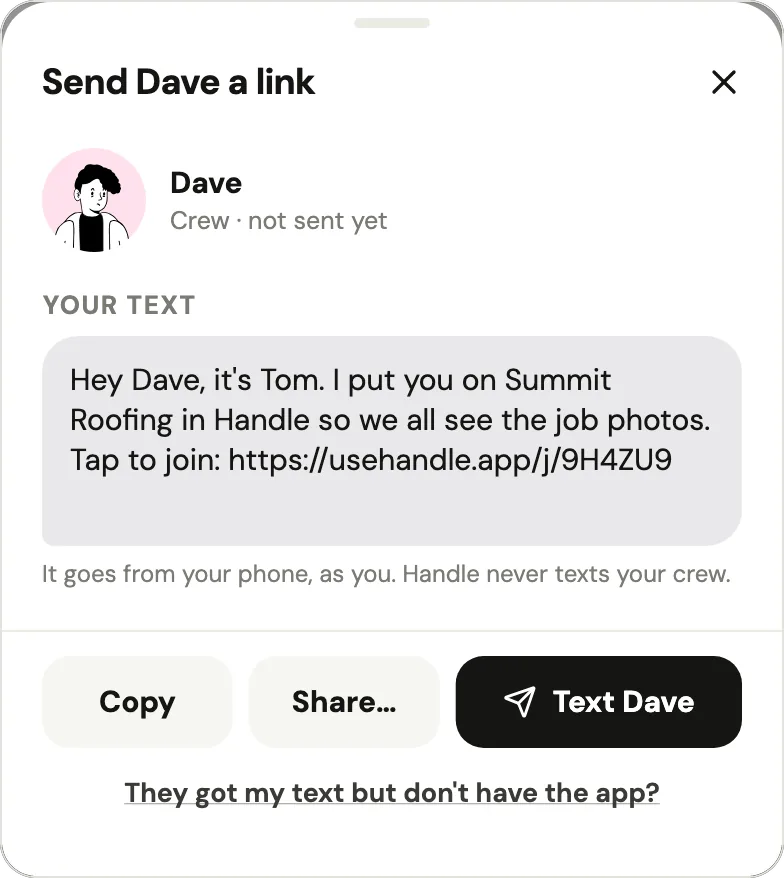
On CompanyCam's Crew plan, the fifth person in a crew of 5 costs $34 a month as of October 2026 (pricing page). In Handle, adding the fifth person is a first name and a text from your phone: the link goes from you, works once and lasts a week, and they join with one tap, no password (help: add someone).

When is Handle not for you?
Handle is not for you if someone in the office works from a computer, if you need reports, checklists or integrations, or if you run several crews. In those cases CompanyCam, or a field service app, fits better:
- An office on a computer. Handle is a phone app with no web app; CompanyCam runs on iPhone, iPad, Android and the web.
- Reports, checklists or integrations. Handle has no checklists, no integrations and no reports beyond one PDF of a job; CompanyCam has all three (checklists from Crew up).
- A live link for the customer. Handle has no customer link; you send a photo or a PDF from your own phone.
- Invoices, scheduling or a time clock. Handle doesn't do these; a field service app does, and your photos can sit alongside it.
- Several crews and an office. Handle's App Store description says it's for "crews of up to a dozen"; a bigger operation fits CompanyCam's Crew or Scale.
Questions owners ask
How much is CompanyCam per user?
As of October 2026, each CompanyCam plan includes users in its base price (1 on Core, 3 on Crew and Scale), and each user past that costs $34 a month, or $29 a month billed annually (CompanyCam pricing). Spread over the whole crew on Crew with monthly billing, that is about $50 a person for 3 people and about $39 a person for 10.
Does CompanyCam have a free plan?
No. As of October 2026, CompanyCam offers "a free 14-day trial — no credit card required", then paid plans from $79 a month (Plans Explained). It did list a $0 plan with up to 50 projects (Free in 2020 and 2021, Basic by 2023) until at least March 2023; by late May 2023 it was gone (archived pricing page, May 2023).
Can I share one CompanyCam login with my crew?
No. CompanyCam's help center says sharing login credentials "isn't permitted under our Terms of Service", that in the mobile app one login can be active on "up to two devices at the same time", and that "Billing is per active User" (as of October 2026, Why Each Person Needs Their Own Login).
Is CompanyCam cheaper if I pay annually?
Yes, by about 15 to 20%. As of October 2026, CompanyCam's Core is $63 a month billed annually instead of $79, Crew $119 instead of $149, Scale $249 instead of $299, and each extra user $29 instead of $34 (CompanyCam pricing). The whole year is charged on the day you subscribe, and annual plans are non-refundable.
Can I cancel CompanyCam anytime and get a refund?
You can cancel CompanyCam anytime, but only in its web app and only with the Admin role, and you keep access to the end of the billing period. Annual plans are non-refundable, with no refund or credit "for unused time or unfilled seats". If you switch to monthly mid-year instead, CompanyCam's annual policy turns the remaining time into a credit on your monthly invoices (as of October 2026, Canceling, Annual Subscription Policy).
What happened to CompanyCam Pro, Premium and Elite?
CompanyCam replaced them with Core, Crew and Scale in mid-2026. Its archived pricing page listed Pro, Premium and Elite, with "Every plan starts at 3 users", on May 18, 2025; Core, Crew and Scale on May 13, 2026; Pro, Premium and Elite again on June 19, 2026; and Core, Crew and Scale on August 27, 2026, as on the live page in October 2026.
Is there a free alternative to CompanyCam?
Yes, with less in it. A group text or a shared photo album costs nothing but leaves the sorting to you, and some job photo apps are free. One is Handle (usehandle.app), the iPhone and Android app we make: free for your whole crew, with no trial, no card and no per-person fees. It keeps the crew's job photos, notes and voice notes together, job by job, but has no checklists or integrations and no reports beyond one PDF of a job. More free and cheaper options: CompanyCam alternatives.
Every photo, on the right job.
Handle is free for your whole crew: no trial, no card, no per-person fees. On iPhone and Android.