Handle vs SiteCam: what SiteCam's free plan covers, what a crew pays, and a free SiteCam alternative
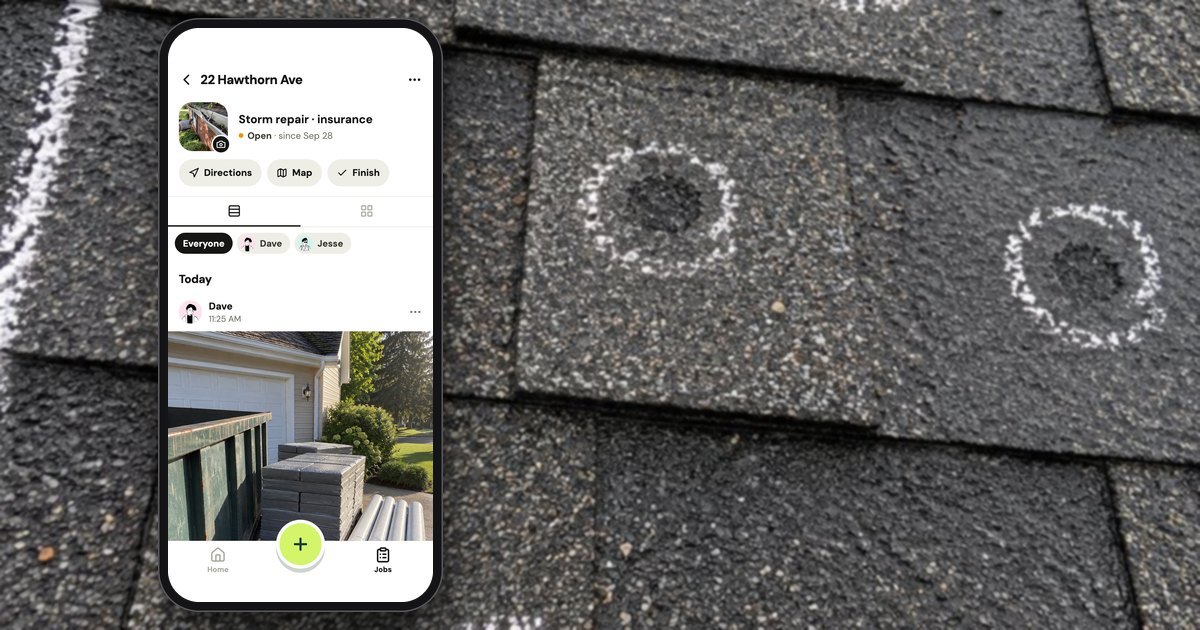
Yes, SiteCam has a free plan, with no time limit and no card: as of October 2026 it allows 3 projects, 500 photos and 25 reports, and SiteCam's FAQ applies the photo limit and the 3 projects to each person; Pro costs $29 a person a month, or $312 a person a year (SiteCam pricing). A free alternative for a crew is Handle (usehandle.app, the job photo app; not Handle.com or Handle by Texada), which is free for your whole crew: no trial, no card, no per-person fees. Handle is built around a crew's jobs, not floor plans, and does less than SiteCam; this page shows where.
What do you get on SiteCam's free plan?
As of October 2026, SiteCam's free plan allows 3 projects, 500 photos and 25 reports, with "No time limit" and "No credit card required" (SiteCam pricing). It includes most of SiteCam: the web app, offline support, markup, tags, folders, floor-plan pins and PDF reports. Pro removes the caps and the "Made with SiteCam.io" footer on reports.
What SiteCam's pricing page lists for each plan, checked October 17, 2026:
| SiteCam Free | SiteCam Pro | |
|---|---|---|
| Price | $0, no time limit, no card | $29 a person a month, or $312 a person a year |
| Projects | 3 (joined or created) | No cap |
| Photos | 500 per person | No cap |
| Reports | 25 | No cap |
| Phones, web app, offline support | Yes | Yes |
| Markup, tags, folders, search, before and after | Yes | Yes |
| Pin photos to floor plans and maps | Yes | Yes |
| Reports as a PDF or a link, with your logo | Yes, with a "Made with SiteCam.io" footer | Yes, and the footer can be removed |
| Admin roles, central billing, invite a group | No | Yes; single sign-on as an add-on |
As of October 2026, videos are capped at 1 minute on SiteCam's free plan and 10 minutes on Pro (pricing). SiteCam's pricing page offers a free plan, not a trial of Pro, and Pro is bought on the web: its help center says "Login to the SiteCam Web App to upgrade to Pro license" (help), and its App Store and Google Play listings show no in-app purchases. A solo user who stays within 3 projects and 500 photos may never need to pay.
Can a crew stay on SiteCam's free plan?
A crew can stay on SiteCam's free plan only while each person stays within 3 projects and 500 photos. As of October 2026, SiteCam's FAQ says team members without Pro can "add photos of their own, up to the Free plan photo limit," and will "only be able to join three of your projects until they upgrade to Pro" (SiteCam pricing FAQ). A 4th project or a 501st photo takes Pro.
SiteCam counts users as people: "A user is any person with their own SiteCam account/profile (linked to their email)" (same FAQ). SiteCam lets you add as many team members to a project as you like, and all of them see its photos; what's capped, person by person, is how many projects each can join and how many photos each can add. Three ways a crew of 4 can set it up:
| Setup | Monthly cost, as of October 2026 | What it allows |
|---|---|---|
| Everyone on Free | $0 | 3 projects for each person, 500 photos each |
| The owner on Pro, the crew on Free | $29 | The owner has no caps; each crew member can join 3 of the owner's projects and add 500 photos |
| Everyone on Pro | $116 | No caps for anyone |
The 500 photos run out at a pace you can work out. For example, if one person takes 25 photos a job, that person's 500 photos last 20 jobs. A SiteCam project can hold folders, with or without plans (Creating a Project, as of October 2026), so a crew could keep every job as a folder in one project; the photo limit per person still applies. SiteCam's pages don't say whether an archived project still counts toward the 3.
Reviewers mention the free allowance in different ways. A Google Play reviewer wrote in June 2026: "you get 500 pictures for free, and if you don't like it, you can always download the pictures you took and remove the app." An App Store reviewer in 2024 wasn't sure what the limit was: "Not sure if there is a specific amount of data available for photo storage." It is counted in photos, not data.
What does SiteCam Pro cost a crew of 1, 3, 5 or 10?
As of October 2026, SiteCam Pro costs $29 a person a month or $312 a person a year: $87 a month for a crew of 3, $145 for 5 and $290 for 10, the totals SiteCam's own checkout showed on October 17, 2026.
Handle (our app) is free for your whole crew: no trial, no card, no per-person fees.
From SiteCam's pricing page and its checkout, run on October 17, 2026 with 1, 3, 5 and 10 licenses (US dollars, before tax; no purchase made):
| Crew size | SiteCam Free | SiteCam Pro, billed monthly | SiteCam Pro, billed yearly | Pro month to month for 12 months | Handle |
|---|---|---|---|---|---|
| 1 person | $0: 3 projects, 500 photos, 25 reports | $29 | $312 ($26 a month) | $348 | Free |
| 3 people | $0, each person within the caps | $87 | $936 | $1,044 | Free |
| 5 people | $0, each person within the caps | $145 | $1,560 | $1,740 | Free |
| 10 people | $0, each person within the caps | $290 | $3,120 | $3,480 | Free |
The checkout charged "$29.00 per User" a month or "$312.00 per User" a year at every quantity we tried (1, 3, 5 and 10); the per-month and 12-month figures are our arithmetic. SiteCam's pricing page mentions "Discounts for teams of 5+" without an amount, and the checkout didn't apply one at 5 or 10, so ask SiteCam before you buy for 5 or more. A crew that stays within the free caps can also put only the owner on Pro, for $29 a month (see the setups above).
For comparison, CompanyCam's Crew plan costs $149 a month for 3 people and $217 for 5, billed monthly, as of October 2026 (CompanyCam pricing; Handle vs CompanyCam), so SiteCam Pro is cheaper for small crews. If you read SiteCam's own CompanyCam comparison, note that its CompanyCam prices describe CompanyCam's older Pro, Premium and Elite plans, not the Core, Crew, Scale and Enterprise plans on CompanyCam's pricing page as of October 2026.
In Handle there's no plan to pick: the app shows no plan, and the crew's photos go on the job whether there are 3 people or 10 (Is Handle free?).
What happens to your photos if you stop paying for SiteCam?
As of October 2026, SiteCam says you drop to the free plan: you keep access to your photos, can't add more if you're over the free photo limit, and SiteCam "will continue to host them for 10 years after you stop subscribing" (SiteCam pricing FAQ). You can download them at any time.
That is a clear rule, and a generous one. Two details from SiteCam's help center, as of October 2026: a download from the web app arrives as an emailed link that "will be valid for 48 hours" (Downloading Photos), and deleting a project deletes "all photos, reports and other information associated with the project" (Deleting a Project). Photos are stored with Amazon Web Services "hosted in Australia" (FAQ); SiteCam is made by SeePilot Pty Ltd.
Handle has no subscription to stop, so there's no plan to drop to. If the owner deletes the account, the business goes for everyone, with every job and photo (help: How do I delete my account?), and Handle has no bulk export: the owner can send a whole job as one PDF, and anyone on the crew can send photos from a job. When one person leaves, the owner removes them in Settings and the photos they took stay on the jobs (help: How do I remove someone?).
Do you need floor plans?
You need plan pins when the question is "which wall, which window, which drain"; for a roof, a kitchen or a car, the job's address and a clear photo usually answer it. As of October 2026, SiteCam is built around plans and maps for site inspections, and it also works without them; Handle is built around a small crew's jobs, one place each.
SiteCam's home page says it plainly: "A pin on the elevation plan shows which window. A pin on the floor plan shows which part of the wall. A pin on the map shows which drain." Its App Store description lists its users from "Project managers, Site engineers, Architects, Building Inspectors, Surveyors" to "Builders, Contractors, Subcontractors". In the 40 written US App Store reviews that Apple's public feed returned on October 17, 2026 (October 2021 to October 2026), 12 use SiteCam for inspections, surveys, site assessments or progress reports, and 6 name a trade or "contractors", including one titled "Awesome app for a roofer" (May 2026). These counts describe that sample.
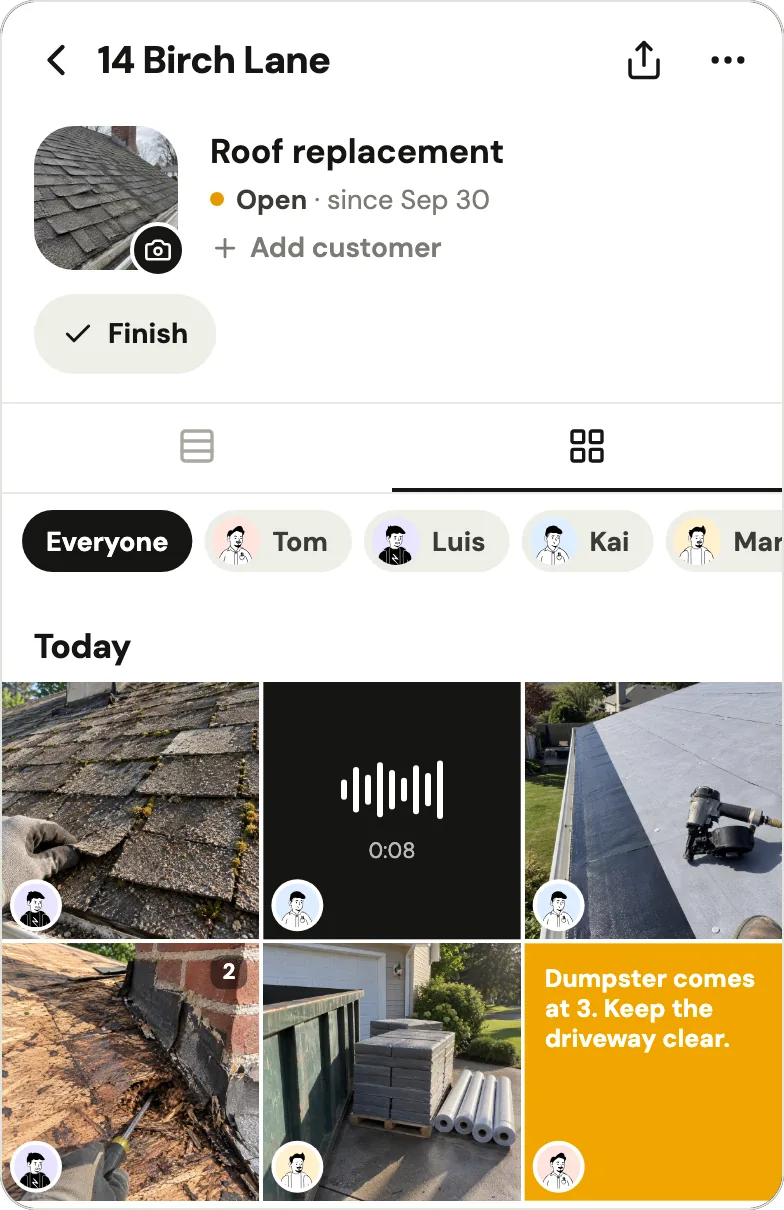
In Handle (our app), a job is a place and the crew's work on it. Its page holds every photo, note and voice note, each with the face of whoever added it. A job's place comes from its address, the crew's photos or the owner's pin, 500 feet around by default, and the camera adds photos to a job by itself only when Handle is sure the phone is there. Nothing is pinned to a drawing.
Handle vs SiteCam, feature by feature
As of October 2026, SiteCam and Handle both keep a team's photos in one shared place, with time and place, markup, before and afters, and a PDF for the customer. SiteCam adds floor plans, a web app, an iPad app, report templates, tags, search, comment threads and share links. Handle keeps a crew's photos and notes job by job, free for your whole crew.
What both apps do
| The job | SiteCam, as of October 2026 | Handle |
|---|---|---|
| The crew's photos in one shared place | "Collaborate on projects"; photos sync to the cloud for the project's members | Every photo lands on a job, on every phone in the crew |
| Markup as a layer | "Markups are saved as a layer on top of the image, so they can be edited, removed" | Draw, Arrow, Circle, Box and Words; the photo itself never changes |
| Before and after | "Add update photos to an existing pin and a timeline will be created" | Take after on any photo, lined up with the faint before |
| Time and place | "automatically timestamped and GPS-stamped" | Photo details show who, when and where; a sent photo names the job's address only when the phone was there |
| No signal | Offline support; changes sync "when you come back online again" | Saved on the phone first; goes up once there's signal and Handle is open |
| A document for the customer | A report from a template, as a PDF or a link | One PDF of the job, sent from your own phone |
| Phones | iPhone and Android | iPhone and Android |
What SiteCam has and Handle doesn't
| Feature | SiteCam, as of October 2026 | Handle |
|---|---|---|
| Floor plans and maps | "Pin photos to floor plans (PDF, JPEG)", "View photo locations on a map (GPS)" | None: a job has one place |
| Web app and iPad | "Web app access (computer)"; SiteCam's iPad app on the App Store | No: iPhone and Android apps only |
| Reports | An editable template, "Print reports as a PDF", "Share reports as a link", your logo | One PDF per job |
| Tags, folders, record types, search | "Tag photos", "Organize photos into folders", "Search and filter photos"; AI search in the app | None: you find photos by job or by person |
| Comments | Comment threads with @mentions | Words, notes and voice notes on the job; no chat |
| Share links | A photo link the recipient opens without a SiteCam account | No customer link: you send a photo or a PDF |
| Bulk download | Select photos, get an emailed download link | None; a job goes out as a PDF |
| Roles and sign-on | Admin roles on Pro; single sign-on as a Pro add-on or on Enterprise | The owner adds and removes people |
The SiteCam columns come from its pricing page, home page, help center and App Store listing, all checked October 17, 2026. Neither app connects to other software: SiteCam's own comparison page says, as of October 2026, that it "has not yet released any third-party integrations" (SiteCam vs CompanyCam), and Handle has no integrations.
What Handle does differently
| Handle | SiteCam, as of October 2026 | |
|---|---|---|
| Price | Free for your whole crew: no trial, no card, no per-person fees | Free within 3 projects, 500 photos and 25 reports; Pro $29 a person a month |
| Getting the crew on | The owner texts each person their own link; one tap, no password, no email | Invite by email; each person has "their own SiteCam account/profile (linked to their email)" |
| Picking the job | Adding to a job when Handle is sure; Which job? when it isn't | You pick the project, and a folder or a pin on the plan if it has one |
| The stamp | Written when you send: the time, who took it and your words; the job's address only when the phone was there | Time and GPS shown in the app and in reports; burned into a downloaded file if you pick "Timestamp, GPS stamp and Markup" |
| Built for | One crew whose owner works the jobs: roofing, cleaning, detailing, home services | "Project managers, Site engineers, Architects, Building Inspectors, Surveyors" through "Builders, Contractors, Subcontractors" |
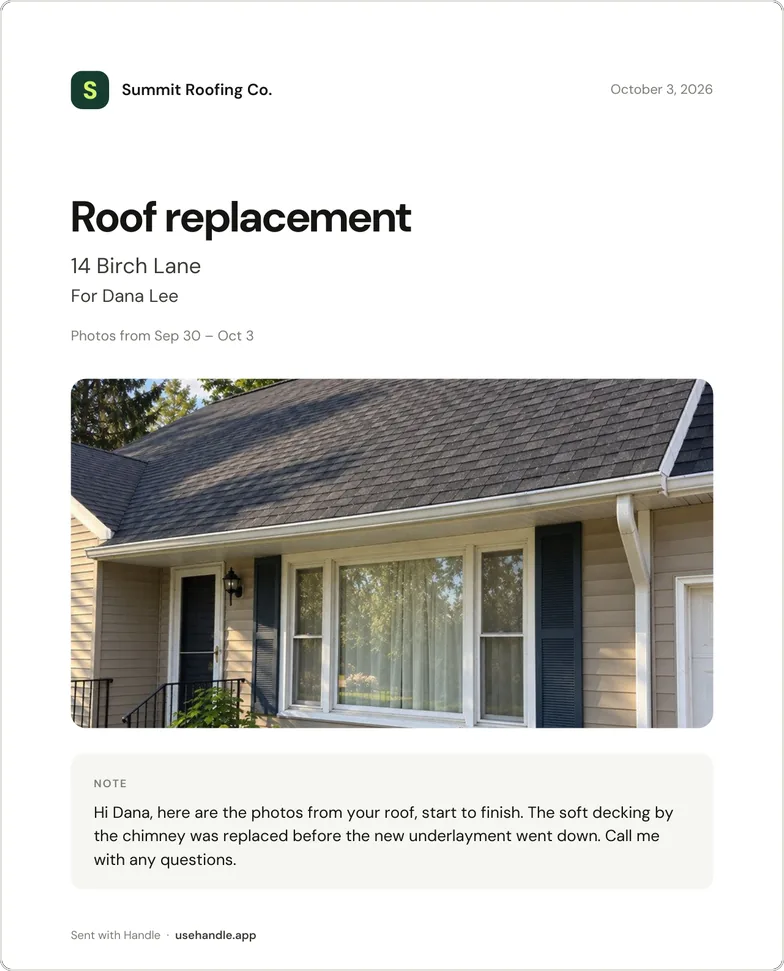
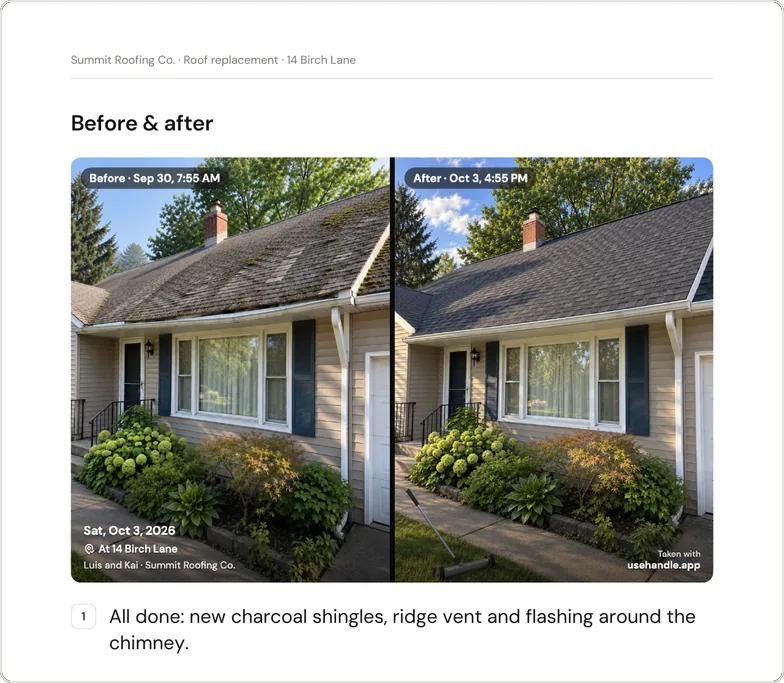
Handle's PDF is simpler than a SiteCam report, and that's the trade. The owner taps the share button at the top of the job, and Handle makes one PDF of its photos with their times and words, before and afters first. Tap the title to change it, the address or who it's for, or to add a note; that changes only the PDF. Then tap Text to your customer, or Send PDF and pick email, WhatsApp or a text. The PDF says where a photo was taken only when it was taken at the job (help: the job PDF). It carries your business name, and your logo if you added one, but there's no template to edit and no link that updates.
When is SiteCam the better choice?
As of October 2026, SiteCam is the better choice if you pin photos to floor plans or site maps, write inspection or progress reports, need an office web app or an iPad, or search thousands of tagged photos. Handle has none of those. A solo inspector within 3 projects and 500 photos may never need to pay SiteCam at all.
- Plans and maps. When the question is which window or which part of the wall, a pin on the plan answers it, and SiteCam's free plan includes it.
- Reports. A report template you can edit, print as a PDF or share as a link, with your logo and a QR code, plus comment threads with @mentions.
- An office on a computer or an iPad. SiteCam has a web app and an iPad app, and bulk downloads by emailed link.
- A free plan with no clock. No time limit and no card: enough for one person within 3 projects, 500 photos and 25 reports (pricing).
- People who answer. 4 of the 40 written App Store reviews praise support; one says deleted photos were recovered "within just a few days".
SiteCam users rate it highly. On October 17, 2026 it had 4.8 stars from 529 ratings on the App Store and 4.6 stars from 528 reviews, with 10K+ downloads, on Google Play. Of the 40 written App Store reviews, 35 give five stars and 4 praise the price; one says it "works just as good as other competitors that are charging 3X more."
How do you switch from SiteCam to Handle?
As of October 2026, SiteCam makes getting photos out easy: its phone app saves a copy of each photo to a "SiteCam" album on the phone by default, and its web app emails a download link for any selection. Adding them to Handle is by hand, 10 at a time, so move only the jobs you still need; SiteCam keeps hosting the rest for 10 years after Pro lapses.
- Check your phone first. "By default, the SiteCam mobile app saves a copy of each photo to your device's camera roll in an album/folder called SiteCam" (Save to Camera Roll, as of October 2026). Photos taken on that phone may already be there.
- Download the rest from the web app. Select the photos, choose Download, decide whether to burn in the timestamp, GPS stamp and markup, and open the emailed link within 48 hours (Downloading Photos). Photos downloaded on a computer have to reach the phone before Handle can add them.
- Start your crew in Handle. Install Handle, tap Start my crew, name the business and sign in with your email and the 6-digit code. Then text each person their link from your own phone (help: How do I add someone?).
- Add the photos to Handle jobs. Open the job, open the camera and, before taking a photo, tap the square to the left of the shutter: it opens your phone's photos. Pick up to 10 at a time. Handle keeps the date stored in each file, when there is one, but not where it was taken; the photos show the name of whoever adds them, and a copy you send says "From the phone's photos".
- Let SiteCam Pro lapse when it renews. You drop to the free plan and keep your photos, so there's no rush.
| From SiteCam | Moves to Handle? |
|---|---|
| Photos | Yes, by hand, up to 10 at a time, with the date stored in each file when there is one |
| Stamps and markup | Only if you burn them in when you download |
| Who took each photo | No; photos show the name of whoever adds them |
| Pins on plans and maps | No |
| Tags, record types, folders | No; each job is its own place in Handle |
| Comments, reports, timelines | No |
Who Handle fits, and when Handle is not for you
Handle fits one crew, usually 2–10 people on iPhones and Android phones, working jobs rather than plans, whose owner wants everyone's photos kept job by job and doesn't want to buy licenses one by one. Skip it if you need floor plans, inspection reports, a web app or an iPad, tags and search, comment threads, customer links, integrations, a time clock, scheduling or invoices.
- Plans, inspections and reports. SiteCam is built for them, as of October 2026; Handle has none.
- An office on a computer or an iPad. Handle is a phone app with no web or iPad version.
- Thousands of tagged photos. Handle has no tags or search; you find photos by job or by person.
- Scheduling, quotes, invoices or a time clock. Handle doesn't do these; office software such as Jobber or Housecall Pro does, and Handle can sit alongside it for the photos. CompanyCam alternatives for small crews compares the paid photo tools.
If none of those is you, try Handle on a week of jobs before your crew needs a 4th SiteCam project.
Questions owners ask
Is SiteCam free?
Yes, within limits. As of October 2026, SiteCam's free plan allows 3 projects, 500 photos and 25 reports, with no time limit and no credit card; Pro removes those caps for $29 a person a month, or $312 a person a year (SiteCam pricing).
Is SiteCam's 500-photo limit per person or per team?
Per person, by SiteCam's own FAQ: team members without a Pro license "will still be able to see all of your photos and add photos of their own, up to the Free plan photo limit", and can join only three of your projects (SiteCam pricing FAQ, as of October 2026).
Does SiteCam give a discount for 5 or more people?
SiteCam's pricing page mentions "Discounts for teams of 5+" without an amount. On October 17, 2026 its checkout charged the full $29.00 a person a month at 5 and at 10 licenses ($145 and $290), so ask SiteCam before you buy (SiteCam pricing).
What happens to my SiteCam photos if I stop paying for Pro?
You drop to the free plan and keep access to your photos, but can't add more if you're over the free photo limit; SiteCam says it will "continue to host them for 10 years after you stop subscribing", and you can download them at any time (SiteCam pricing FAQ, as of October 2026).
Is Handle really free for the whole crew?
Yes: Handle is free for your whole crew: no trial, no card, no per-person fees. Its help center adds: "We may add optional paid tools later. If we do, you'll see the price before you buy, and what you use for free today stays free unless we tell you at least 30 days before." (help: Is Handle free?)
Which phones does Handle work on?
Handle works on iPhone and Android: it's free in the App Store and on Google Play. There is no iPad or web version, so if someone works from a computer or an iPad, SiteCam, which as of October 2026 has a web app and runs on iPad, fits better.
Is Handle the same as Handle.com?
No. Handle (usehandle.app) is a job photo app for small field crews. Handle.com is construction lien and payment software, and Handle by Texada is a CRM, both unrelated to this app.
Every photo, on the right job.
Handle is free for your whole crew: no trial, no card, no per-person fees. On iPhone and Android.