Best free job photo apps for crews (2026): each free plan and its real limit
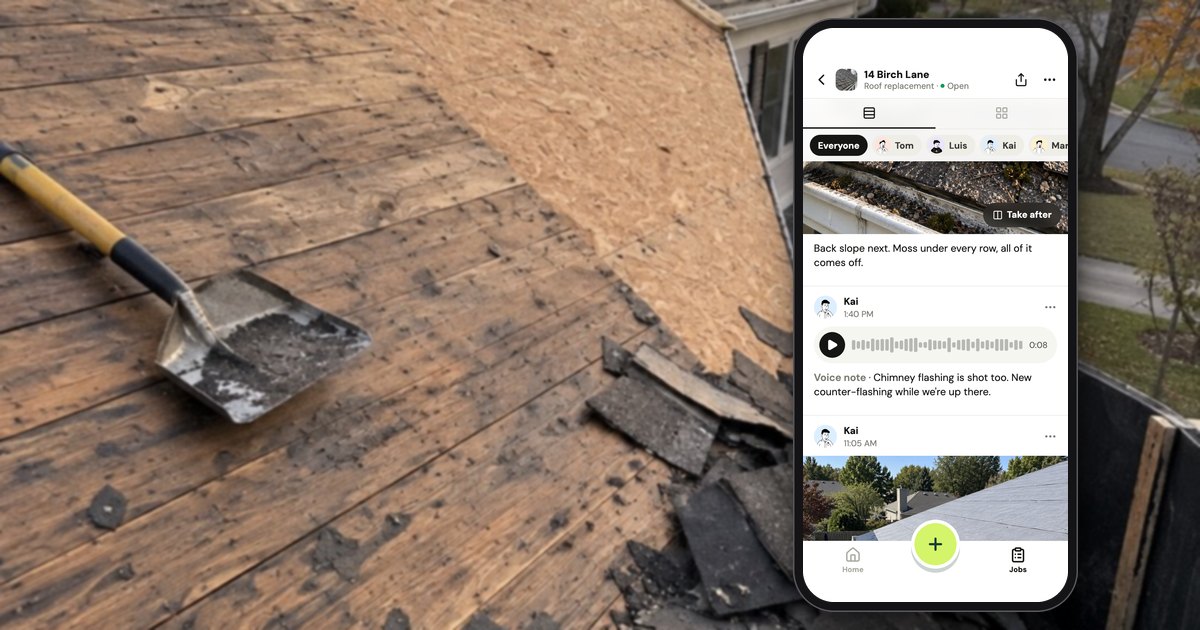
As of October 17, 2026, by each vendor's pricing page (linked in the table below), no job photo app gives a working crew everything for free: six free plans stop at about 3 jobs or projects (Fieldtics, Fieldwire, SiteCam, SnapTapGo, TaskTag, Timemark), WorkPhotos at 3 people, Connecteam and Mitti at 10, and CompanyCam has no free plan. A group text and a shared album cost nothing but don't file photos by job. Handle (usehandle.app), our app, is free for your whole crew: no trial, no card, no per-person fees, with no seat count and no job count, but no web app and no reports beyond one job PDF.
Which free job photo apps work for a whole crew, and where does each stop?
As of October 17, 2026 (vendors' pricing pages), free job photo apps first stop a crew of 3 at about 3 jobs on Fieldtics, Fieldwire Basic, SiteCam, SnapTapGo, TaskTag and Timemark; a 4th person on WorkPhotos; an 11th on Connecteam and Mitti; storage for a group text and a shared album. Handle, ours, has no seat or job count.
Handle's limits are the things it doesn't do: no web app, and no reports beyond one job PDF. The table shows all eleven free options, the first wall each puts in front of a crew of 3, and the price after free.
How the list works:
- "Free" means a plan you can stay on; trials (CompanyCam, RelayCam) are left out.
- The crew test: an example crew of 3 (and of 5), about 3 jobs a week, about 20 photos a job, one project per job, kept in the app. The first wall is the first limit that stops it adding a job, a photo or a person. Swap in your own numbers.
- The date: each vendor's own pages, October 17, 2026; monthly billing, before tax; the first-wall weeks and crew totals are our arithmetic for the example crew.
- The order: Handle is ours. Earliest wall first (job caps, storage, people, then none), alphabetical inside each group, so Handle comes last because its group does.
| Option (pricing page, checked Oct 17, 2026) | Free plan | First wall, crew of 3 | After free: crew of 3 / 5, a month | Phones (computer) |
|---|---|---|---|---|
| Fieldtics | "A couple of active jobs"; any number of shooters | More than "a couple" of open jobs | Pro: $49 / $49 | Phone browser, no app |
| Fieldwire Basic | 5 users, 3 projects, 100 sheets | 4th project, week 2 | Pro: $162 / $270 | iPhone, Android (web) |
| SiteCam | 3 projects and 500 photos per person; 25 reports | 4th project, week 2 | Pro: $87 / $145 | iPhone, Android (web) |
| SnapTapGo | 3 projects; 100 photos and 5 people per project | 4th project, week 2 | Pro: $11.99 / $11.99 | Any browser, no app |
| TaskTag | 30-day trial, then 3 active projects and 2 GB | 4th active project | Team: $20 per paid member; crew members free | iPhone, Android (web login) |
| Timemark | Team space: 100 photos, 3 projects | 4th project or 101st shared photo, week 2 | Business: $21 / $35 | iPhone, Android (web portal) |
| Group text + shared album | iCloud 5 GB free; Google 15 GB; no jobs | Storage, and finding a job's photos | — | Any phone |
| Connecteam | Up to 10 users; photos as attachments | 11th person | $0 / $0 | iPhone, Android (web) |
| Mitti | Up to 10 seats; 5 active inspection templates | 11th person, or a 6th active template | $0 / $0 (Premium: $87 / $145) | iPhone, Android (web) |
| WorkPhotos | Up to 3 users; no cap on storage | 4th person | $0 / $29.95 | iPhone, Android (web) |
| Handle (ours) | Free for your whole crew: no trial, no card, no per-person fees | None for people or jobs | Free | iPhone, Android (no web app) |
Which free plans stop at three jobs?
As of October 2026, six free plans stop at about three jobs: Fieldwire Basic, SiteCam, SnapTapGo, TaskTag and Timemark at 3 projects, and Fieldtics at "a couple of active jobs". An example crew doing 3 jobs a week, one project per job, opens its 4th project in week 2 (our arithmetic). TaskTag and Fieldtics count only active jobs, so closing finished jobs stretches them; the other four don't say.
Fieldtics: a browser camera the crew opens from a text
Fieldtics has no app to install: the owner texts a link, the camera opens in the crew member's browser, and there's "no per-seat fee" (Fieldtics pricing, as of October 2026). Free covers "a couple of active jobs", any number of shooters, GPS and time stamps and a "Basic proof report". Pro, $49 a month at a "launch price", lifts the job cap and adds "Longer photo retention"; the page doesn't say how long free photos are kept. It fits subs sending proof on a job or two.
Fieldwire Basic: free for 5 people who work from drawings
Fieldwire Basic is "$0 per user / month" for "Users 5", "Projects 3" and "Sheets 100", with plan viewing, tasks, checklists, files and photos; reports, exports and photo stamps are Pro (Fieldwire pricing, as of October 2026). Upgrading moves everyone: "you will be paying for 5 subscriptions if you upgrade from Basic to Pro or Business with 5 users already in your account" (Fieldwire help, October 2, 2026). A June 2024 App Store review: "The free version of Fieldwire does everything I need but I will upgrade to add more projects" (App Store). It fits crews who work from drawings.
SiteCam: 3 projects and 500 photos, per person
SiteCam's free plan has "3 Projects", "500 Photos", "25 Reports" and "No time limit", with no card and no cap on team members (SiteCam pricing, as of October 2026). The caps are per person: members on Free add photos "up to the Free plan photo limit" and "will also only be able to join three of your projects until they upgrade to Pro" (same page, FAQ). Free includes the web app, markup, tags, floor plans, search and reports; Pro is $29 a person a month. Head to head: Handle vs SiteCam.
SnapTapGo: one link per job, in the browser
SnapTapGo runs in the browser: "Create a project, snap or upload your photos, and share a link with anyone" (SnapTapGo pricing, as of October 2026). Free covers "Up to 3 projects", "100 photos per project" and "Up to 5 contributors per project", with client share links and QR codes. Pro is one price, $11.99 a month or $119 a year, for no project cap, 1,000 photos per project and "Download all as ZIP", which the Free card marks as not included (same page). It fits jobs where the customer and the crew share one link.
TaskTag: 30 days of everything, then 3 active projects
TaskTag gives "30 days free with all features unlocked", then "Up to 3 active projects" and "2GB shared team storage" for free (TaskTag pricing, as of October 2026). It says "Crew members join and use TaskTag for free. Always." without defining who counts as a paid member; Team is $20 a member a month, or $16 billed yearly. After you cancel, "You'll have access to your 3 most recent projects, and the rest will be archived until you upgrade again" (same page, FAQ).
Timemark: free for one person, capped for a team
Timemark is free for one person in its app, with no photo cap there, but its shared team space stops on Free at "Photos 100" and "Projects 3" (Timemark pricing, as of October 2026). Past 100, "Newer photos past that blur when reviewed" (Timemark help), and free team photos are "stored for 12 months by default" (data retention, October 2026). Timemark's own comparison page: "A crew that shares photos in Teamspace needs the Business plan" (Timemark, October 2026), which the same page and the pricing page put at $7 a person a month. Head to head: Handle vs Timemark.
How long does each free plan last a crew of 3?
For an example crew of 3 doing 3 jobs a week with about 20 photos a job, Fieldwire Basic, SiteCam, SnapTapGo and Timemark stop in week 2, on the 4th job (our arithmetic from each vendor's limits as of October 2026). By the same arithmetic, putting a month of jobs in one project stretches SiteCam and Fieldwire to about 3 months, but Timemark and SnapTapGo then stop at the 101st photo, in under 2 weeks.
| Option | One project per month instead | A crew of 5, same work |
|---|---|---|
| Fieldtics | Counts open jobs only: depends on how fast you close them | No change: shooters are free |
| Fieldwire Basic | About 3 months | No change; a 6th person is the wall |
| SiteCam | About 3 months, when a 4th project is needed | No change: the caps are per person |
| SnapTapGo | Under 2 weeks (101st photo) | No change up to 5 per project |
| TaskTag | Counts active projects only: until 2 GB fills, if you archive past months | Who pays isn't defined |
| Timemark | Under 2 weeks (101st photo blurs) | No change: the caps are per team |
| WorkPhotos | No wall | 4th person: all 5 pay |
| Handle (ours) | No people or job count | No people or job count |
How the weeks fall, by our arithmetic for the example crew: the 4th job comes at the start of week 2, and 60 photos a week pass a 100-photo cap during week 2; at 5 jobs a week, a 3-job cap doesn't last the first week. SiteCam's 500 photos per person would last 25 weeks at 20 photos each a week, so its 3 projects run out first. TaskTag and Fieldtics cap only open jobs, so a crew that closes each job when it's done stays under them longer, and TaskTag's 2 GB of storage becomes the wall. A project per month also puts one house's photos with every other job from that month.
Is a group text and a shared album enough?
A group text and a shared album are enough for 2 or 3 people whose old photos rarely come up: they cost nothing and are already on every phone. They stop on storage and structure: as of October 2026, free iCloud is 5 GB, a Google account's 15 GB is shared with Gmail and Drive, and neither sorts photos by job.
- iCloud Shared Albums made in iOS 27 or later keep originals, and the photos participants add count toward the owner's storage (Apple Support 148868, September 14, 2026), which is 5 GB free (Apple Support 108047, September 16, 2026). Albums made in iOS 26 or earlier don't use the owner's storage but hold 5,000 items, with photos reduced to 2048 pixels on the long edge (Apple 148868), and deleting an album deletes all its photos (Apple Support 108314, October 6, 2026).
- Google Photos uses the account's 15 GB, "shared across Gmail, Google Drive, and Google Photos" (Google One Help). Its albums hold up to 20,000 items (Google Photos Help), and when someone leaves a shared album, the photos, comments and likes they added are removed (Google Photos Help), as of October 2026.
- Dropbox Basic gives "2 GB to store and share your files" (Dropbox plans, October 2026).
"Pictures. Google drive." was one reply's whole answer to "How do you guys document proof of work?" on r/pressurewashing in April 2026 (comment), and in our own reading of 657 CompanyCam reviews (App Store, Google Play, Capterra and Facebook, 2017 to 2026), 14 said free tools are enough. What an album doesn't do is sort photos by job; the signs a crew chat has stopped working are in group text vs a job photo app.
Which free options don't cap jobs, and how many people can use them?
As of October 2026, three free plans cap people but not jobs: Connecteam (up to 10 users), Mitti (up to 10 seats) and WorkPhotos (up to 3 users). A group text with a shared album caps only storage. Handle, our app, is free for your whole crew: no trial, no card, no per-person fees, with no seat count and no job count.
Connecteam: free for up to 10, built around the time clock
Connecteam's Small Business plan is "entirely free for up to 10 users" (Connecteam pricing, as of October 2026). It is a time clock, scheduling, forms and chat app, and its pricing page lists photos as attachments to chats, shifts and forms ("Shift Attachments: Item tracking, mileage, pictures, signatures, and more"). It fits a crew whose bigger problem is hours; the 11th person moves you to paid plans from $35 a month for the first 30 users.
Mitti (formerly SafetyCulture): inspections for up to 10
SafetyCulture's pricing page now redirects to Mitti pricing, where Free is "For small teams (up to 10)" with "5 active inspection templates" and "Up to 3 years" of data and evidence history (as of October 2026). Free is for teams "getting started with inspections and reports", so photos go into inspections, checklists and issue reports. Premium is $29 a seat a month, or $24 billed yearly (same page).
WorkPhotos: free up to 3 users, then every user pays
WorkPhotos is "Free for teams with up to 3 users", with no cap on storage, job reports and a web app (WorkPhotos pricing, as of October 2026). The 4th person ends free for everyone: "Paid plans are charged for every user on the paid account", at $5.99 a user a month, so 5 people pay $29.95 (same page). It fits a crew of 3 that won't grow soon.
Handle (our app): no seat count, no job count
Handle is a free iPhone and Android app for small field crews: it keeps the crew's job photos, notes and voice notes together, job by job, on every phone in the crew. We make it, and it is not Handle.com or Handle by Texada. Handle (usehandle.app) is free for your whole crew: no trial, no card, no per-person fees, with no seat count and no job count (is Handle free?).
- They join from a text. The owner sends each person a link from the owner's own phone; it works once, lasts a week, and needs no password (adding someone).
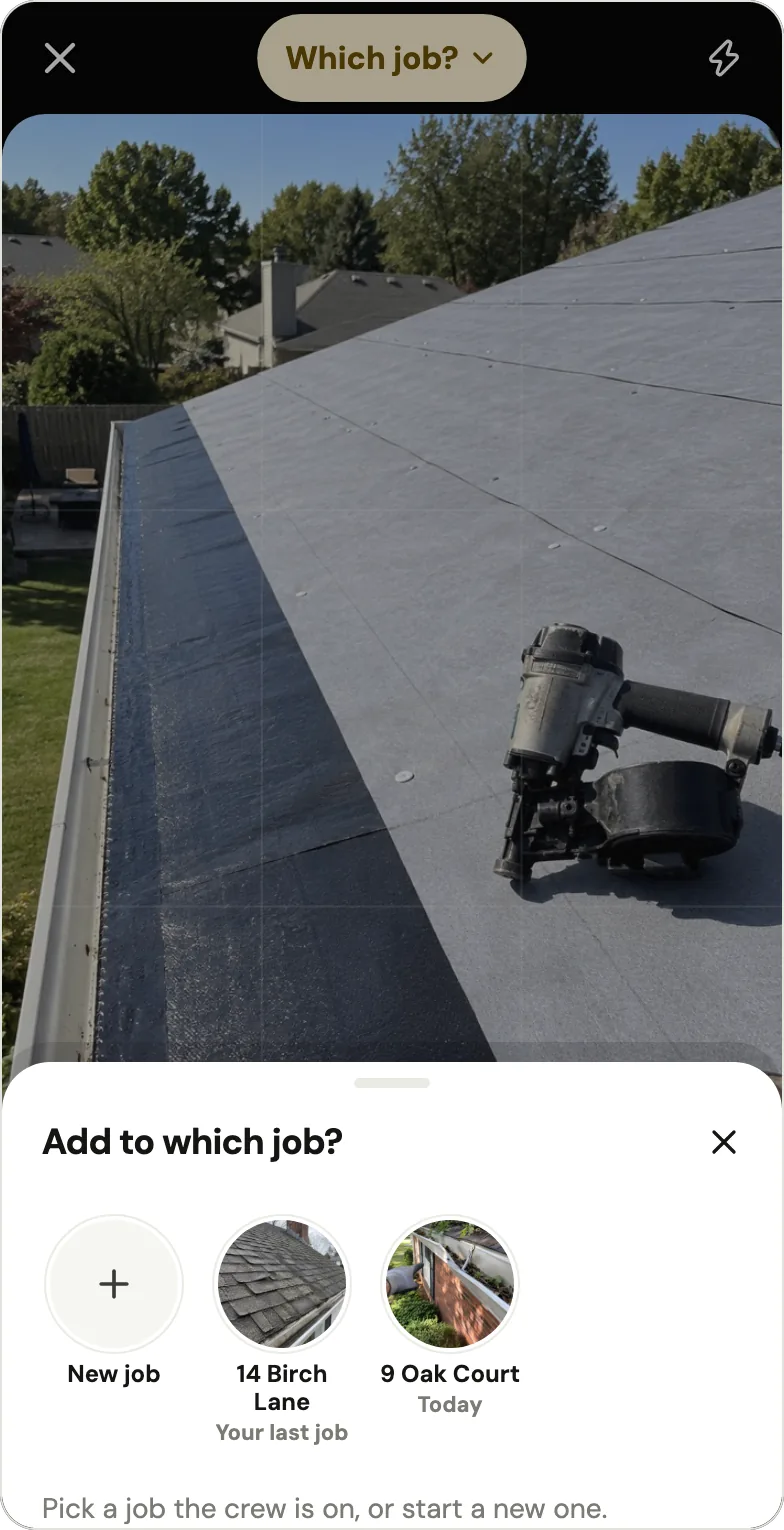
- Every photo, on the right job. The camera says Adding to the job when Handle is sure, or Which job? when it isn't (right job).
- No signal on the roof. Photos save on the phone first and go up once there's signal and Handle is open (no signal).
- For the customer: Take after makes a before and after; anyone on the crew can send a marked, stamped photo from their phone, and the owner can send the whole job as one PDF.
- When someone leaves, their photos stay on the jobs.
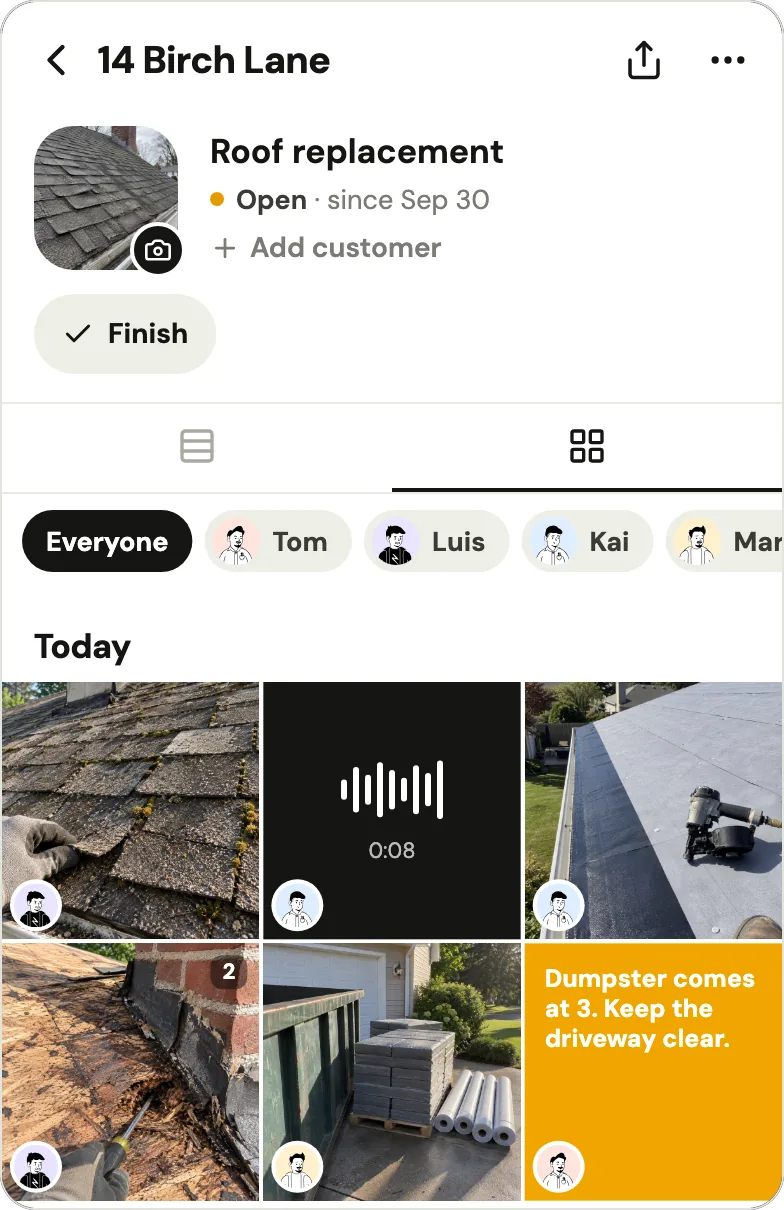
Handle has no web app and no iPad version, no reports beyond that one job PDF, no search, no customer link and no download of everything at once.
What happens to your photos at the limit, when you stop paying, or when someone leaves?
Free plans differ most after the cap, as of October 2026: Timemark blurs team photos past the first 100 and, by default, deletes free team photos after 12 months; SiteCam stops new photos past 500 per person but hosts old ones for 10 years after you stop paying; and TaskTag keeps your 3 most recent projects and archives the rest. When someone leaves a Google Photos album, what they added goes with them.
| Option | Past the free cap | You stop paying | Someone leaves | How long photos are kept |
|---|---|---|---|---|
| Timemark | Team photos past the first 100 blur | Drops to Free; anything over the caps is read-only | Removed: "Their existing photos stay in the team" | Free team space: 12 months, owner emailed a month before |
| SiteCam | No new photos past 500 per person | Drops to Free; you can still see and download | Not stated | 10 years after you stop paying |
| TaskTag | Trim to 3 active projects | 3 most recent projects stay; the rest archived | Not stated | "Your data is never deleted" (its FAQ) |
| Mitti | Not stated | Not stated | Not stated | Free: up to 3 years |
| Google Photos album | 20,000 per album; 15 GB per account | No plan to stop | What they added is removed | Not stated |
| iCloud Shared Album (iOS 27 or later) | The owner's storage; 5 GB free | No plan to stop | Not stated | Until someone deletes them, or the owner deletes the album |
| Handle (ours) | No seat count, no job count | Nothing to pay; no checkout in the app | Their photos stay on the jobs | As long as the crew exists |
Sources, opened October 17, 2026: the pages linked above, Timemark's help on cancelling and removing a member, and Handle's who sees my photos and privacy policy. A deleted job in Handle stays in Recently deleted for 30 days.
Free plans also change. CompanyCam's pricing page listed a $0 plan until spring 2023 (archived March 2023; gone by May 2023), and an April 2026 App Store review says Timemark is "no longer free. If you want to export via PDF or Excel you must now subscribe" (App Store). Handle's help center says optional paid tools may come later, priced before you buy, and what's free today stays free unless Handle tells you at least 30 days before (is Handle free?).
Do free plans mark your photos?
Some do, as of October 2026: Timemark Free keeps its logo in a corner of every photo, shows ads and can't save the unstamped original; SiteCam Free's reports carry a "Made with SiteCam.io" footer; and WorkPhotos lists watermark removal as a paid feature. Handle, our app, puts a small "Taken with usehandle.app" line on every photo you send from it.
- Timemark: "The Free plan keeps the Timemark logo in a corner of every photo. This is on purpose." (Timemark help, June 28, 2026). "Saving the unstamped original requires Plus or Business" (help), and "No ads" is a paid line on its pricing page.
- SiteCam: removing the "Made with SiteCam.io" footer is a Pro line, not a Free one, on its pricing page (October 2026).
- WorkPhotos: paid plans add "Removal of watermarks" and "HD image capture" (WorkPhotos pricing, October 2026); the page doesn't show the free watermark.
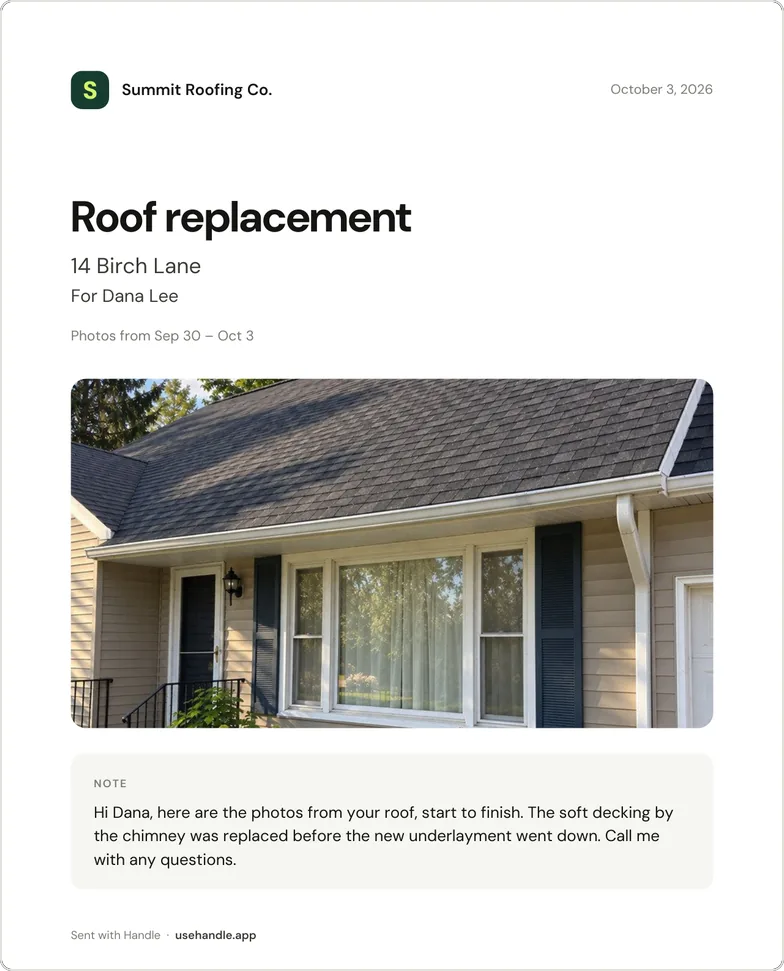
Handle's own mark, plainly. Inside the crew, photos carry no stamp. On the copy you send, Handle writes the time, who took it, your words, "At" or "Near" the job only when the photo was taken there, and in the corner a small "Taken with usehandle.app" ("Sent with usehandle.app" for a camera-roll photo). It's on every photo Handle sends; there's no setting to remove it. A job PDF's first page ends with "Sent with Handle · usehandle.app", and its photo pages carry the same stamp. Handle shows no ads and keeps photos at up to 2,560 pixels on the long side. Shooting a before and after worth sending: before and after photos.
What does it cost once a crew outgrows the free plan?
Once a crew outgrows free, the cheapest paths on each vendor's pricing page as of October 17, 2026 are one flat price for the crew (SnapTapGo Pro at $11.99 or Fieldtics Pro at $49 a month) or a low price per person (WorkPhotos at $5.99 or Timemark Business at $7 a month; $29.95 and $35 for 5, our arithmetic). SiteCam and Mitti charge $29 a person a month and Fieldwire Pro $54 (same pages).
Timemark, Fieldwire and WorkPhotos bill every member once you upgrade, including people who only take photos; SiteCam lets crew members stay on Free until they need a 4th project or pass 500 photos each.
- Billed yearly, per month, for 3 / 5 people: Timemark $15 / $25, Mitti $72 / $120, SiteCam $78 / $130, Fieldwire $117 / $195 (our arithmetic from each pricing page, October 17, 2026).
- Everyone pays: "Every existing member becomes a billable seat at upgrade" (Timemark help, August 7, 2026). Fieldwire's help says the same for Basic to Pro (quoted above).
- No free plan, for reference: RelayCam is $89 a month for up to 5 people (pricing); CompanyCam is $149 for 3 and $217 for 5 (pricing), as of October 2026. More: how much CompanyCam costs, Handle vs RelayCam.
- Handle (ours): still free at 3 people or 10, with no per-person fees.
Which "free" job photo apps aren't free, or aren't there?
As of October 17, 2026, several apps that chatbots and older lists call free aren't, or aren't there: busybusy's photos are on its paid Pro plan, magicplan gives 2 free projects and then charges per project, CompanyCam and RelayCam offer trials, JobSnaps is gone, and LibreCam is a waitlist with no app in the US App Store.
Chatbot answers we collected that day repeated several of these and put SiteCam's free plan at 2 projects (it's 3).
| App | What you may read | What its pricing page says (Oct 17, 2026) |
|---|---|---|
| busybusy | A free plan with GPS-stamped job photos | Free is time tracking; "Photos & Notes" is Pro, $11.99 a user a month plus a $40 admin license |
| magicplan | A free plan with no end for 2 projects | "2 free projects to start", then "Pay per project" |
| SiteCam | 2 free projects | 3 projects and 500 photos |
| SafetyCulture | Free for 10 with no inspection cap | Now Mitti: 5 active inspection templates on Free |
| CompanyCam | "Sign up for a free account" (its features page) | A 14-day trial, no card; no free plan since spring 2023 |
| RelayCam | "Start Free Today" (its site's button) | A trial of unstated length, then $39 a month for up to 2 members |
| Field Photos App, Fieldpost, Contractor Foreman | "Free" in the App Store | Paid after a trial: $30 a month, $25 a month and $588 a year |
| JobSnaps | Free for 100 photos and 2 users | A 2015 article; the domain is for sale; no app in the US App Store |
| LibreCam | Free for a whole crew | A waitlist ("Get the app before everyone else"); no LibreCam job photo app in the US App Store |
The App Store's "Free" is the download price, even for apps with no free plan, such as the three above, CompanyCam and RelayCam. One CompanyCam user found out on day one, in an August 2025 App Store review: "I just made an account under the guise that it was free and then i was told it is going to expire in 14 days" (App Store).
Which free camera apps are only for one person?
Free stamp cameras and one-person tiers, such as Timemark's app without a team space, Timestamp Camera, UploadCam, PhotoReport, Pixly and WorkCam, stamp, file or back up your own photos but don't share a job's photos with a crew for free, as of October 2026; for Timestamp It, that's unclear. They suit an owner working alone.
| App (checked Oct 17, 2026) | Free, for one person | For a crew |
|---|---|---|
| Timemark app | No photo cap in the app; the logo stays | Team space: 100 photos and 3 projects free |
| Timestamp It | Stamps "3 at a time"; Pro, $8.99 a month, stamps "a whole job at once" | Free lists "Invite your crew to a team", but its own comparison page says "free for solo use": ask first |
| Timestamp Camera Basic | A free stamp camera | Its listing describes no shared team projects |
| Solocator | Not free: $0.99 to download; saves to the camera roll or cloud | No shared crew projects |
| UploadCam | The free version uploads "up to 10 photos a day" to your own Google Drive, Dropbox, OneDrive or Box | Team plans from $20 a month for up to 5 users (pricing) |
| PhotoReport | "1 project", 3 exports | Teams plan only |
| Pixly | "Single User Only", "1 project", up to 100 photos | Pro, per user |
| WorkCam | Keeps work photos out of your personal camera roll | Sharing needs Photo Sync, $5.99 a month in the app |
How a per-batch cap feels on a job, from a 2018 App Store review of Timestamp It: "now you can only select 3 pics at a time or you have to pay. I take on average 70-140 pics for each job" (App Store).
When is Handle not for you?
Handle, our app, is not for you if the office needs a computer or an iPad (Handle has no web app and no iPad version), or if you need reports beyond one job PDF, search and tags, drawings, inspections, a time clock or links customers open, as of October 2026. Another tool on this page covers each one.
- An office on a computer: SiteCam, Fieldwire, Connecteam and WorkPhotos have a web app, Timemark a web portal, TaskTag a web login. SiteCam and Fieldwire also have iPad apps.
- Reports: SiteCam (25 on Free), WorkPhotos (job reports on Free), Fieldtics (a basic proof report) and Fieldwire (Pro).
- Drawings and floor plans: Fieldwire; SiteCam pins photos to floor plans. Search and tags: SiteCam.
- Inspections and checklists: Mitti. A time clock and chat: Connecteam.
- Customer links and bulk download: SiteCam (report links and "Download project photos" on Free) and SnapTapGo (client share links on Free, "Download all as ZIP" on Pro).
- Scheduling, quotes and invoices: office software such as Jobber. Handle doesn't do any of them and can run next to one.
Leaving CompanyCam? See CompanyCam alternatives and Handle vs CompanyCam. If none of the gaps above is your crew's problem, Handle is free for your whole crew: no trial, no card, no per-person fees (what free covers).
Questions owners ask
Is there a completely free job photo app for a whole crew?
Yes, but each free plan stops somewhere, as of October 2026: SiteCam, Fieldwire Basic, TaskTag, SnapTapGo and Timemark at 3 jobs or projects, WorkPhotos at 3 users, Connecteam and Mitti at 10 (each vendor's pricing page, checked October 17, 2026). Handle (usehandle.app), our app, is free for your whole crew: no trial, no card, no per-person fees, with no seat count and no job count, on iPhone and Android. It has no web app and no reports beyond one job PDF.
What is the best free job site photo app?
The one whose first limit your crew won't hit, as of October 2026. SiteCam's free plan (3 projects and 500 photos per person, SiteCam pricing) suits a crew trying an app on a few jobs; Fieldwire Basic (5 users, 3 projects, Fieldwire pricing) a crew that works from drawings; Connecteam (free up to 10 users, Connecteam pricing) a crew that mainly needs a time clock. Handle, our app, suits a crew that wants every job's photos in one place with no seat or job count.
Does CompanyCam have a free version?
No. As of October 2026, CompanyCam has a 14-day trial with no card, then Core at $79 a month for 1 user (2 at most) or Crew at $149 a month for 3 users (CompanyCam pricing). Its pricing page listed a $0 plan until spring 2023 (archived March 2023). Plans in full: how much CompanyCam costs.
Is Timemark free for a team?
Partly. As of October 2026, Timemark's free team space holds 100 photos and 3 projects (Timemark pricing); newer photos past the first 100 blur until you upgrade (Timemark help), and free team photos are kept for 12 months by default (Timemark data retention). Timemark's own comparison page says a crew that shares photos needs Business, $7 a person a month.
Is SiteCam free?
Yes, with caps. As of October 2026, SiteCam's free plan has 3 projects, 500 photos and 25 reports, with no time limit and no card, and each person on Free can join only 3 projects and add photos up to that limit (SiteCam pricing). Pro is $29 a person a month (same page). Comparison: Handle vs SiteCam.
Can my crew use Google Photos or iCloud for job photos for free?
Yes, within storage. As of October 2026, a Google account's 15 GB is shared across Gmail, Drive and Photos (Google One Help), and when someone leaves a shared Google Photos album, what they added is removed (Google Photos Help). In iCloud Shared Albums made in iOS 27 or later, everyone's photos count toward the owner's storage (Apple Support), and free iCloud is 5 GB (Apple Support). Neither sorts photos by job.
Is Handle the same as Handle.com?
No. Handle (usehandle.app) is not Handle.com (construction payments) or Handle by Texada (a CRM). Handle is a free iPhone and Android app for small field crews: it keeps the crew's job photos, notes and voice notes together, job by job, on every phone in the crew.
Every photo, on the right job.
Handle is free for your whole crew: no trial, no card, no per-person fees. On iPhone and Android.